READY-TO-USE SOFTWARE
Loading this product.
Fetching the latest release details.
PLEASE WAIT
Live release information is being fetched. This should only take a moment.
READY-TO-USE SOFTWARE
Loading this product.
Fetching the latest release details.
PLEASE WAIT
Live release information is being fetched. This should only take a moment.
15 / SOFTWARE
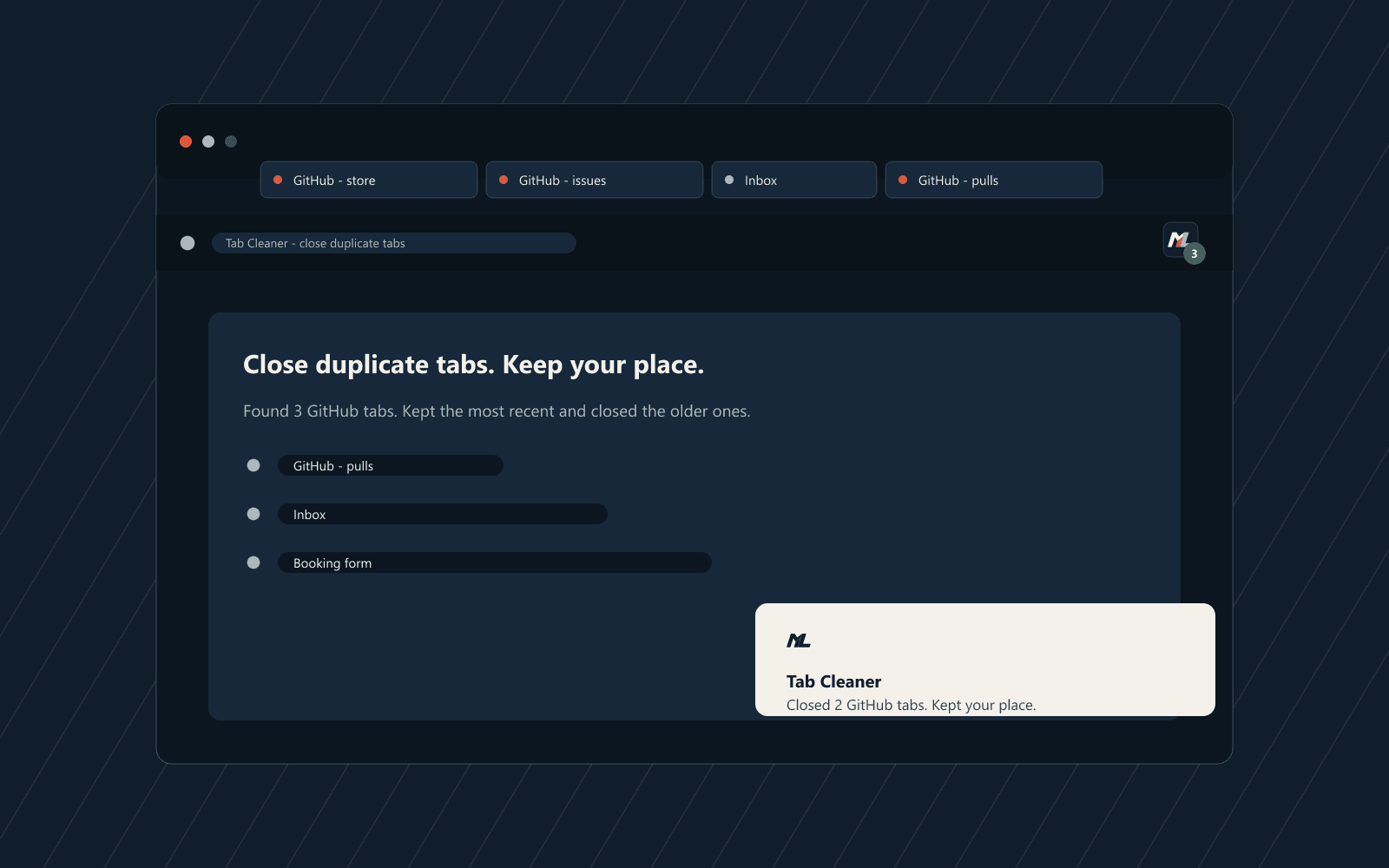
Close duplicate tabs. Keep your place. Keep one tab per website - newest or oldest - then group by site, sort tabs A-Z or by the order they opened, or ungroup back to normal.
FREE BROWSER EXTENSION
Tab Cleaner is a Manifest V3 extension for Microsoft Edge and Google Chrome. Click its toolbar button when your windows get busy: the popup groups your open tabs by website, previews what it will do, then keeps one tab per website and closes the rest - the newest by default, or the oldest if you tick the option. It can also group the survivors by website, sort every window A-Z, or ungroup back to a normal tab strip. Nothing runs in the background, and your tab content never leaves your browser; anonymous usage counts are on by default, with an opt-out in the popup.
Version 1.8.0 · 62 KB · ZIP · Microsoft Edge · Google Chrome
Built from real production problems through MyEvent Productions. Visit MyEvent Productions
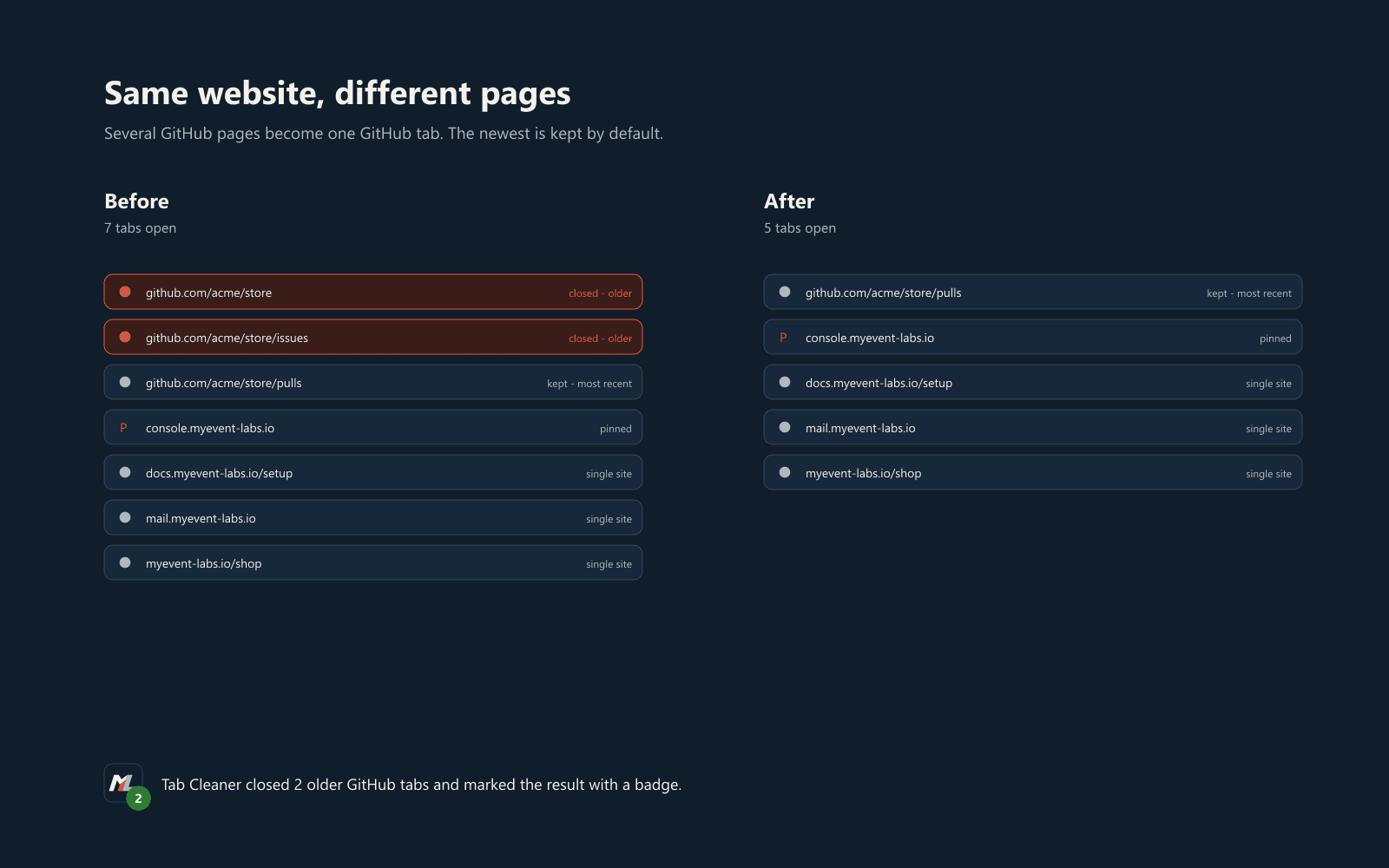
Click the toolbar button and a small popup groups every open tab by website across all your windows, keeps one and closes the rest. That means several GitHub pages become one GitHub tab even when their URLs differ.
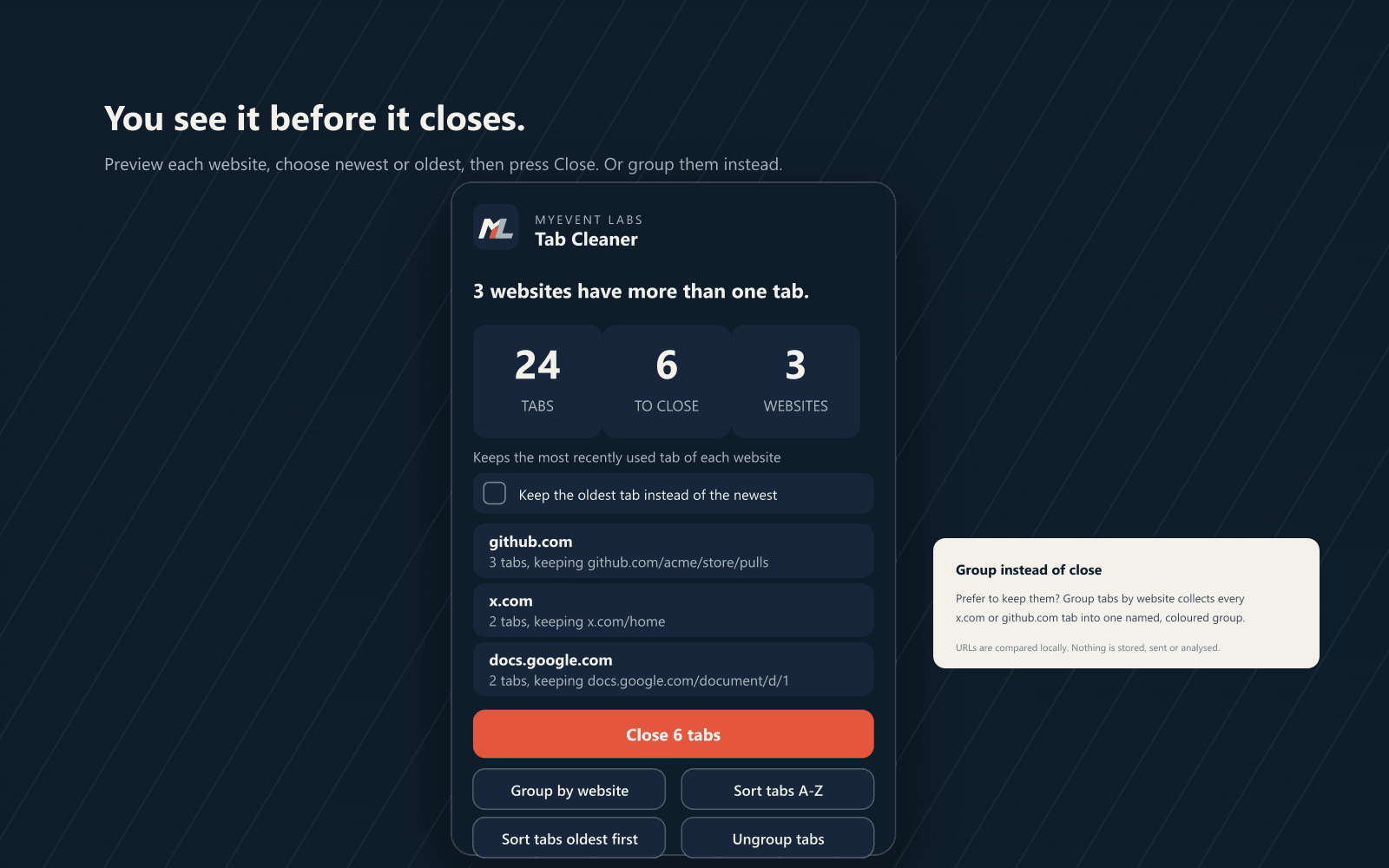
By default it keeps the most recently used tab of each website and closes the older ones first. Tick Keep the oldest tab instead of the newest and it reverses - keeping the oldest and closing the newer tabs.
The popup previews every website it will tidy and which tab it keeps, so nothing is a surprise. It reports tabs scanned, tabs to close and websites affected, and puts the result on the toolbar badge.
Press Group tabs by website and the remaining ungrouped tabs are collected into a named, coloured tab group per host - every x.com tab together, every docs.google.com tab together - without touching tabs you already grouped.
One button lines the reorderable tabs up left to right by website domain, so every github.com tab sits together and the sites run A-Z. Pinned tabs and tabs already in a group keep their place.
Another button lines the reorderable tabs up left to right in the order the browser opened them, oldest first. Press it again to put the newest first. It works window by window and leaves pinned tabs and tab groups where they are.
Ungroup tabs breaks every tab group back into ordinary tabs, so you can go straight back to a plain, ungrouped tab strip at any time.
Pinned tabs are never closed or grouped. Browser-internal pages such as edge:// and chrome://, extension pages and any tab without a readable URL are ignored too.
Tab URLs, titles and websites are compared in memory and never leave your browser. The extension sends only anonymous usage counts, such as how many duplicate tabs were closed - no URLs, titles, domains or browsing content - and you can switch that off in the popup.
Unpack the ZIP first - manifest.json sits at the root of the folder you select. Full steps for both browsers are in the extension's install guide.
SHA-256: 751ff4ca8ecea17c76c6fbabbdfe5d11b0be5794b896fb6dd6b4d4b8cfe1bda4. Compute the hash of the file you downloaded and confirm it matches.
| Permission | Why it is needed |
|---|---|
tabs | Reads the open tabs' URLs so tabs from the same website can be found, and closes the duplicate tabs you asked it to remove. It is used only after you click the toolbar button. |
tabGroups | Names and colours the tab groups it creates when you press Group by website, and ungroups them again on request. |
storage | Keeps your settings and a random anonymous id on your machine. |
https://www.myevent-labs.io/* | The built-in update check fetches one small JSON file from MyEvent Labs to learn the current version. No tab data is sent. |
https://telemetry.myevent-labs.io/* | Sends anonymous usage counts, on by default, with an opt-out switch in the popup. No URLs, titles, domains or browsing content are sent. |
No other permission is requested. There are no host permissions, no content scripts and no background tracking.
Tab URLs, titles and websites are compared locally in your browser, in memory, only after you click, and are never sent anywhere. Tab Cleaner sends MyEvent Labs anonymous usage counts - how many duplicate tabs were closed, that tabs were grouped, and so on - on by default, with an opt-out switch in the popup. That data contains no URLs, titles, domains or browsing content and no account. There is no advertising and no remote code, and it never changes browser settings or closes a pinned tab. The only other request is the update check, which fetches the current version number.
Read the site's privacy information, or the extension's own privacy policy, also packaged in the ZIP as privacy.html.
Download the ZIP and unpack it, open edge://extensions in Edge or chrome://extensions in Chrome, turn on Developer mode, choose Load unpacked and select the folder containing manifest.json. Then pin the icon. Chrome and Edge both keep it installed until you remove it.
Never. Pinned tabs are skipped entirely, so a pinned tab is never closed even when its URL appears elsewhere. Tabs without a readable URL, browser-internal pages and extension pages are skipped as well.
Yes, by design. Tabs are counted as duplicates when they share the same website, so three GitHub pages with different URLs are reduced to one. Remove a site from a tidy-up by pinning the tab you want to keep, or by closing the ones you do not need before clicking.
Yes. By default Tab Cleaner keeps the most recently used tab of each website and closes the older ones. Tick Keep the oldest tab instead of the newest in the popup and it reverses, keeping the oldest and closing the newer tabs. The popup previews which tab will be kept before anything closes.
Pin the tab you want to protect - pinned tabs are never closed - or use Group tabs by website to gather them instead of closing them. Tab Cleaner always keeps one tab per website and never closes the last tab in a window.
Press Sort tabs A-Z and Tab Cleaner lines the reorderable tabs of every window up from left to right by website domain - github.com before news.ycombinator.com, and so on - with the page title ordering tabs that share a domain. Press the same button again and it sorts Z-A instead; it toggles A-Z and Z-A on each press. Browser-internal tabs such as about:blank go to the end, and pinned tabs and tabs already in a group keep their place.
Yes. Press Sort tabs oldest first and Tab Cleaner reorders the reorderable tabs of every window into the order the browser created them, oldest on the left; press it again to put the newest first. Chrome numbers each tab as it opens, so the order is exact within the current browser session. Pinned tabs and tabs already in a group keep their place.
Yes. Press Ungroup tabs and every tab group is broken back into ordinary tabs, returning your window to a plain, ungrouped tab strip. Nothing else is changed and no tabs are closed.
Press Group tabs by website in the popup. Tab Cleaner groups ungrouped, unpinned tabs that share the same host into one named, coloured tab group per website - for example every x.com tab together. Tabs you have already grouped, pinned tabs and browser-internal pages are left alone.
That means no website has more than one open tab that can be closed. Pinned tabs, browser-internal pages, extension pages and the last tab in each window are never closed, so a website with a single open tab is left alone. The popup says so plainly.
No. It does nothing until you click its toolbar button. There is no background tracking, no automatic cleanup and no scheduled work.
It reads tab URLs only when you click, compares them in memory and closes duplicates. URLs are never stored, logged, transmitted or analysed. There is no account, telemetry, analytics or advertising, and no remote code. Grouping creates browser tab groups on your machine and sends nothing.
The popup checks automatically when it opens and shows the result at the bottom: up to date, or an update available with a Download update button. Press Check now to re-check. Because it is installed in developer mode it cannot install the update itself - download the new ZIP and reload the unpacked extension. The only network request is for the current version number; no tab data is sent.
Only anonymous usage counts, and they are on by default. For example it reports how many duplicate tabs were closed or that the strip was sorted; there are no URLs, titles, domains or browsing content, and no account. The anonymous id is a random value stored on your machine. A Share anonymous usage data switch at the bottom of the popup turns it off immediately; the extension still works exactly the same.
Press Send feedback at the bottom of the popup to open the MyEvent Labs feedback page (myevent-labs.io/feedback). You can also email hello@myevent-labs.io. The link opens the page; the extension sends nothing itself.
It is free: no licence, no checkout and no account. To remove it, open the extensions page, choose Remove next to Tab Cleaner and delete the unpacked folder. Nothing is left behind because no data is stored.
Bring us the problem. We’ll work through the possibilities together.