READY-TO-USE SOFTWARE
Loading this product.
Fetching the latest release details.
PLEASE WAIT
Live release information is being fetched. This should only take a moment.
READY-TO-USE SOFTWARE
Loading this product.
Fetching the latest release details.
PLEASE WAIT
Live release information is being fetched. This should only take a moment.
14 / SOFTWARE
Reclaim disk space without ever risking your important files: it scans a folder, classifies everything it finds and only removes what it can prove is disposable. Free download.
FREE COMMAND-LINE TOOL
Space Saver is a single small binary for Windows · macOS · Linux. Open your terminal, paste the line for your system and run it - it installs Space Saver and puts it on your PATH. It is free: no licence key and nothing to buy.
spacesaver on your PATH.spacesaver.Latest: 0.0.25
curl -fsSL https://spacesaver-updates.myevent-labs.io/spacesaver/install.sh | shInstalls spacesaver into ~/.local/bin (set SPACESAVER_BIN_DIR to override) after checking the artifact against the release manifest's SHA-256. Open a new terminal, then run spacesaver.
irm https://spacesaver-updates.myevent-labs.io/spacesaver/install.ps1 | iexDownloads the per-user .msi, verifies its SHA-256 and runs it. No administrator rights are needed. Open a new terminal, then run spacesaver.
Prefer to install by hand? The per-platform archive downloads and SHA256SUMS are below.
Confirm where spacesaver is, delete that install, confirm the command is gone, then run the same installer so you land on 0.0.25. After remove, Get-Command / command -v should not resolve the binary.
(Get-Command spacesaver).Source
spacesaver uninstall
Get-Command spacesaver
irm https://spacesaver-updates.myevent-labs.io/spacesaver/install.ps1 | iexThe first line prints the installed binary path and spacesaver uninstall removes a self-install. If you used the .msi, remove Space Saver from Settings, Apps, Installed apps instead. Then re-run the Windows one-liner.
command -v spacesaver
rm -f "$HOME/.local/bin/spacesaver"
command -v spacesaver
curl -fsSL https://spacesaver-updates.myevent-labs.io/spacesaver/install.sh | shThe install.sh one-liner places spacesaver in ~/.local/bin (or SPACESAVER_BIN_DIR). Remove it, confirm the command is gone, then re-run the macOS / Linux one-liner.
command -v spacesaver
rm -f "$HOME/.local/bin/spacesaver"
command -v spacesaver
curl -fsSL https://spacesaver-updates.myevent-labs.io/spacesaver/install.sh | shThe install.sh one-liner places spacesaver in ~/.local/bin (or SPACESAVER_BIN_DIR). Remove it, confirm the command is gone, then re-run the macOS / Linux one-liner.
Built from real production problems through MyEvent Productions. Visit MyEvent Productions
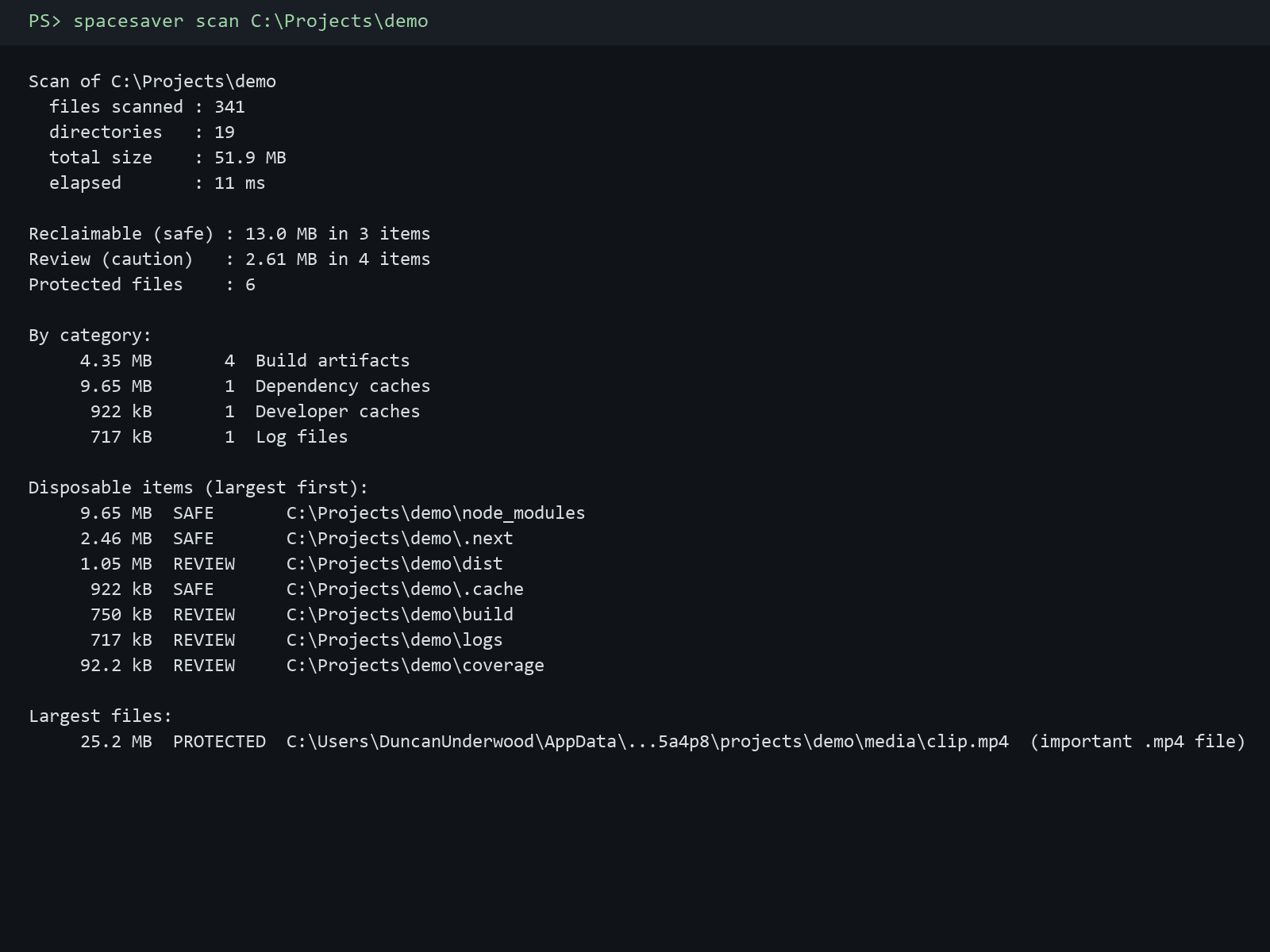
Every item is SAFE (recognised, regenerable data), REVIEW (a recognised but ambiguous location) or PROTECTED (documents, media, source, secrets, executables). PROTECTED items are never deletable through any code path.
Caches and build output are measured as a whole. If a recognised cache contains a single PDF, photo, key or archive, it is downgraded to review and the executor refuses to touch it.
User content (Documents, Pictures, Desktop), secret stores (.ssh, .gnupg, .aws) and version-control directories (.git, .svn) are never offered for removal, no matter how harmless they look. System locations are skipped by default and symlinks are never followed.
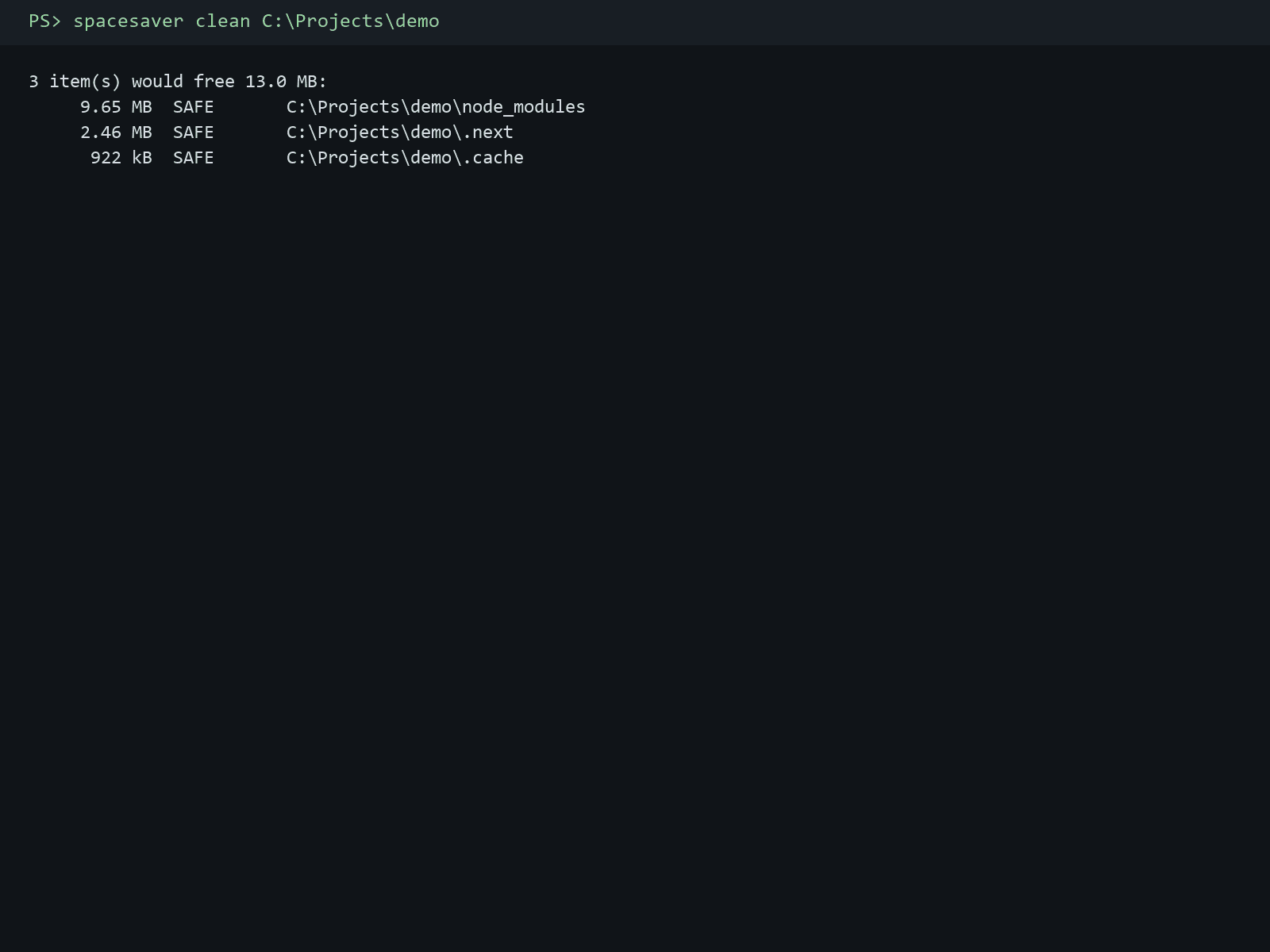
clean only acts with --apply, and permanent deletion needs --yes. The default removal mode moves items to the operating system trash, and every guard is re-checked against the live filesystem before anything is unlinked.
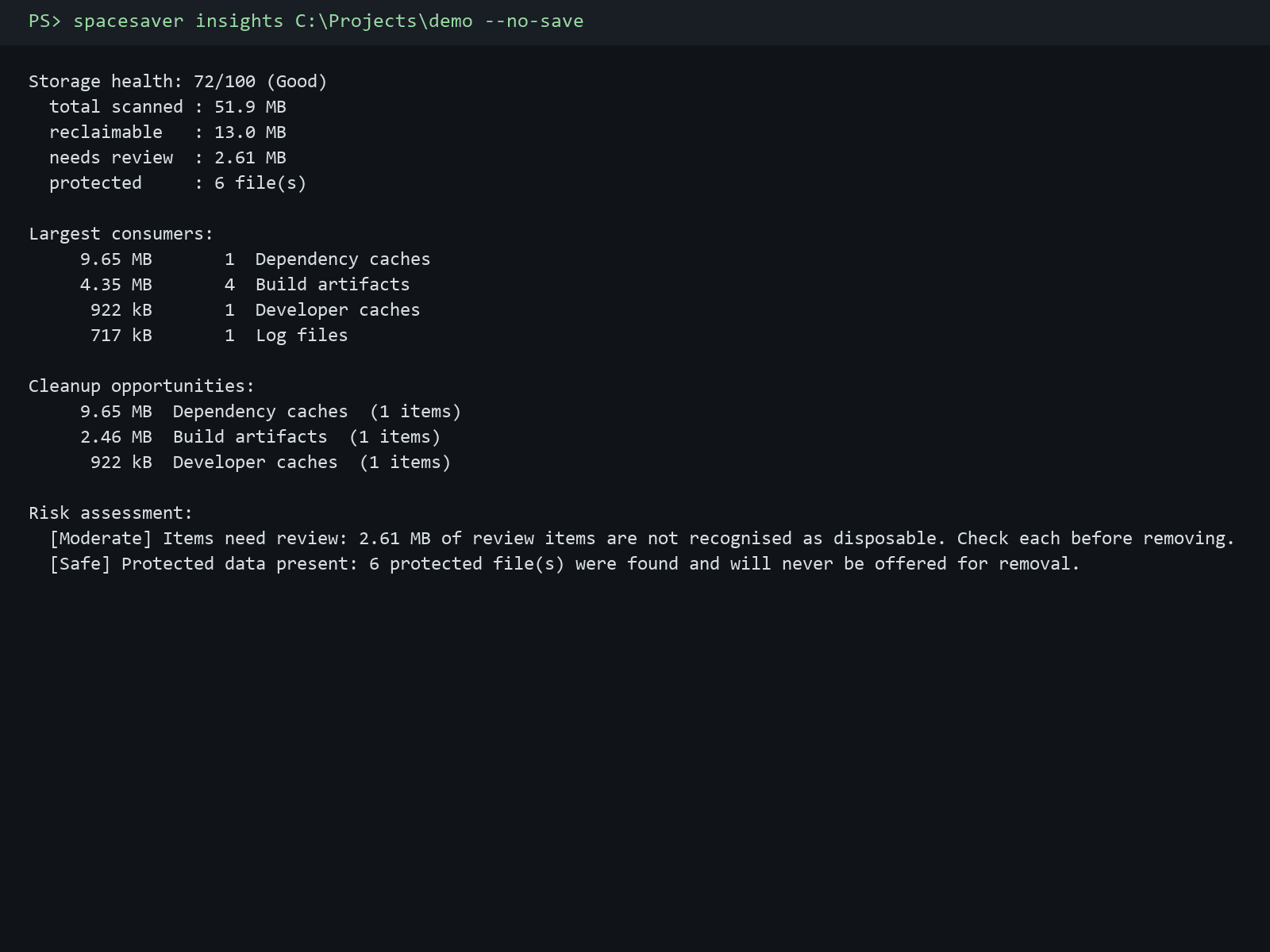
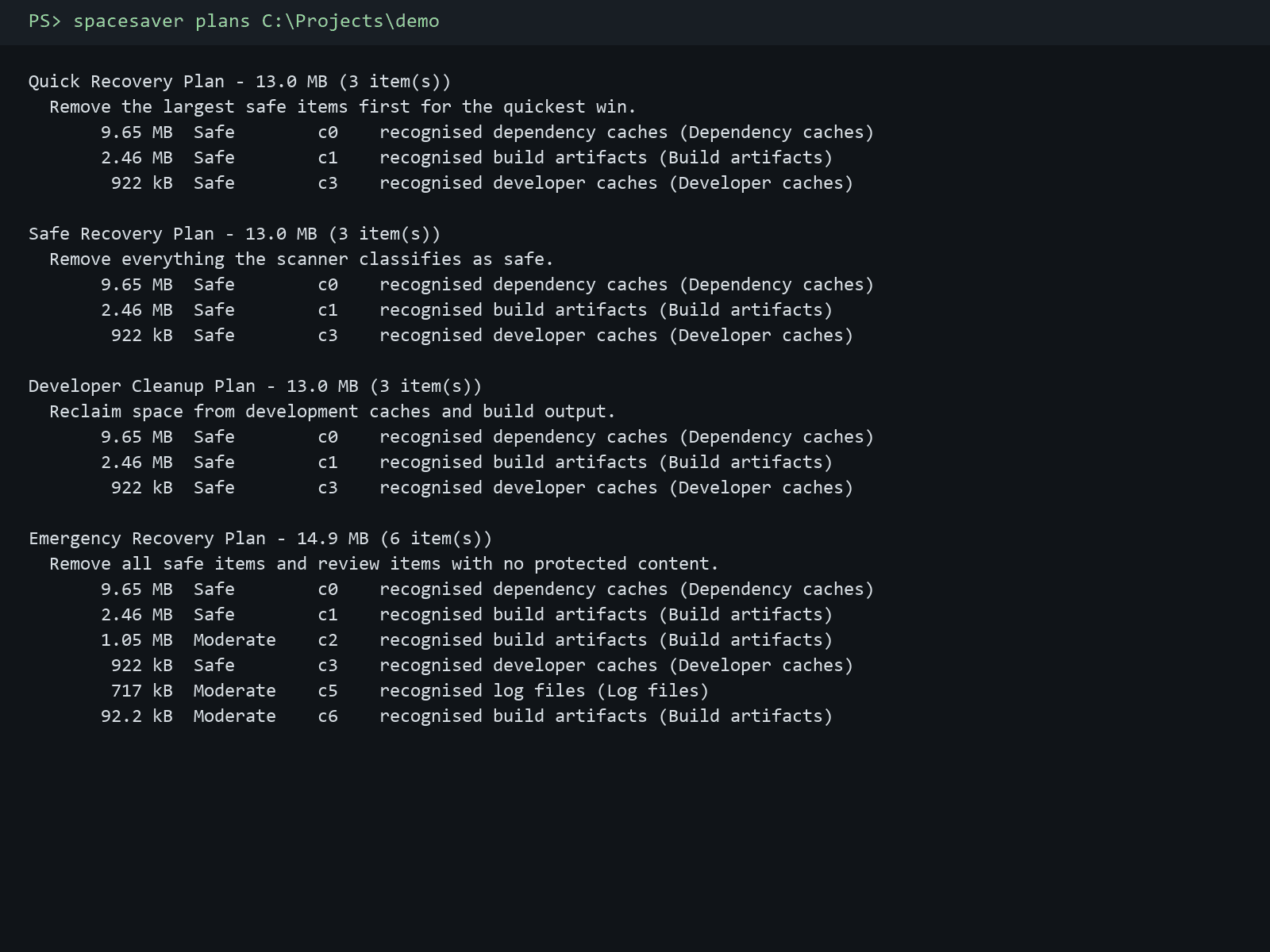
Run spacesaver with no arguments to open an interactive menu: scan with live progress (files, folders, bytes and the folder being read), insights, cleanup plans, a safe clean, questions, history, update checks and feedback. Every action is also a subcommand for scripting.
Explain a scan and plan a cleanup without sending anything off the machine. Path privacy is controlled with --privacy (relative by default) and only metadata is shared. Bring your own key into the OS credential vault to let a model analyse a scan; the answer is validated and can never delete or reclassify anything.
spacesaver update reads the per-platform manifest from the CDN, downloads the release, verifies its SHA-256 and installs it. The one-line installers on this page never change.
Prefer to install by hand? Download the archive for your platform, verify it against SHA256SUMS, then unpack and run it yourself. The one-line installer at the top of the page does this for you.
Once downloaded, unpack the archive and run spacesaver from your terminal. On Windows, unzip the .zip and run spacesaver.exe, or add it to your PATH. Builds are not code-signed, so Windows SmartScreen and macOS Gatekeeper may ask you to confirm the first launch.
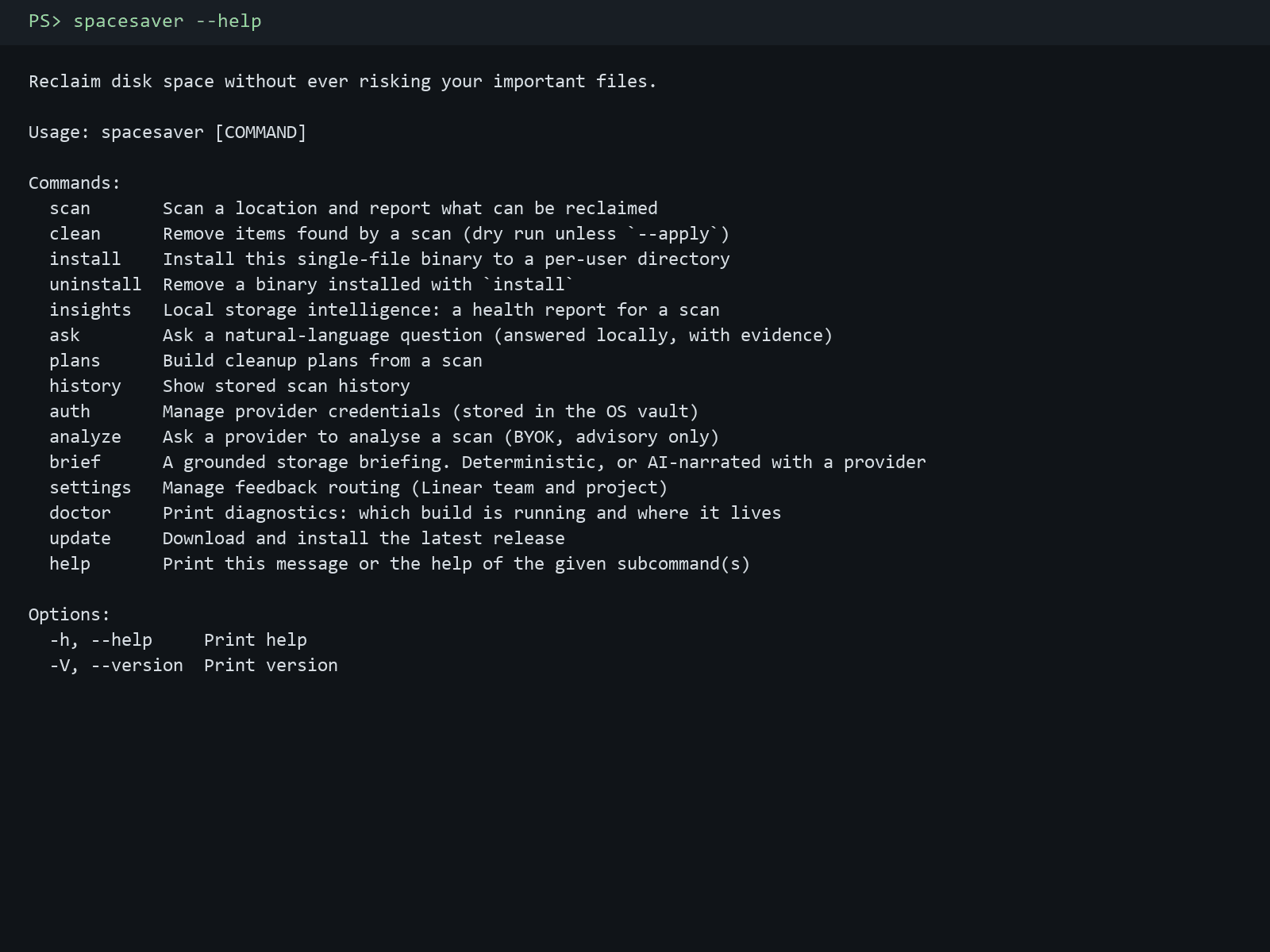
Open your terminal and paste the one-line install script for your system: on macOS or Linux run "curl -fsSL https://spacesaver-updates.myevent-labs.io/spacesaver/install.sh | sh", and on Windows PowerShell run "irm https://spacesaver-updates.myevent-labs.io/spacesaver/install.ps1 | iex". Both verify the download against the release manifest's SHA-256 and put spacesaver on your PATH, so you then just type spacesaver to open the menu. Prefer to install by hand? Download the .msi on Windows or the .tar.gz for your platform from the downloads on this page, or run "spacesaver install" from the extracted binary.
The design assumes the scanner will occasionally be wrong, so every layer re-checks the one below it. Only items classified SAFE are offered for bulk cleaning; PROTECTED items are never deletable, and a cache that contains an important file is downgraded and refused. Deletion re-checks the level and every guard against the live filesystem, a path that changed since the scan or sits outside the authorised folder is refused, and the default removal mode moves items to the operating system trash rather than deleting them outright.
Only metadata, and how much path detail is included is your choice: --privacy full, home-redacted, relative (the default) or anonymous. Only anonymous is considered safe for a remote provider. The AI layer never classifies files, never deletes and never overrides the safety engine; its output is validated before it is shown. Keys are stored in the operating system credential vault (Windows Credential Manager, macOS Keychain, Freedesktop Secret Service), never in a file.
Run "spacesaver update". It reads the per-platform manifest for the newest build from the CDN, downloads the artifact, verifies its SHA-256 and installs it (the .msi installer on Windows, an in-place binary swap on macOS and Linux). The install one-liners on this page are unchanged - they still install spacesaver and put it on your PATH.
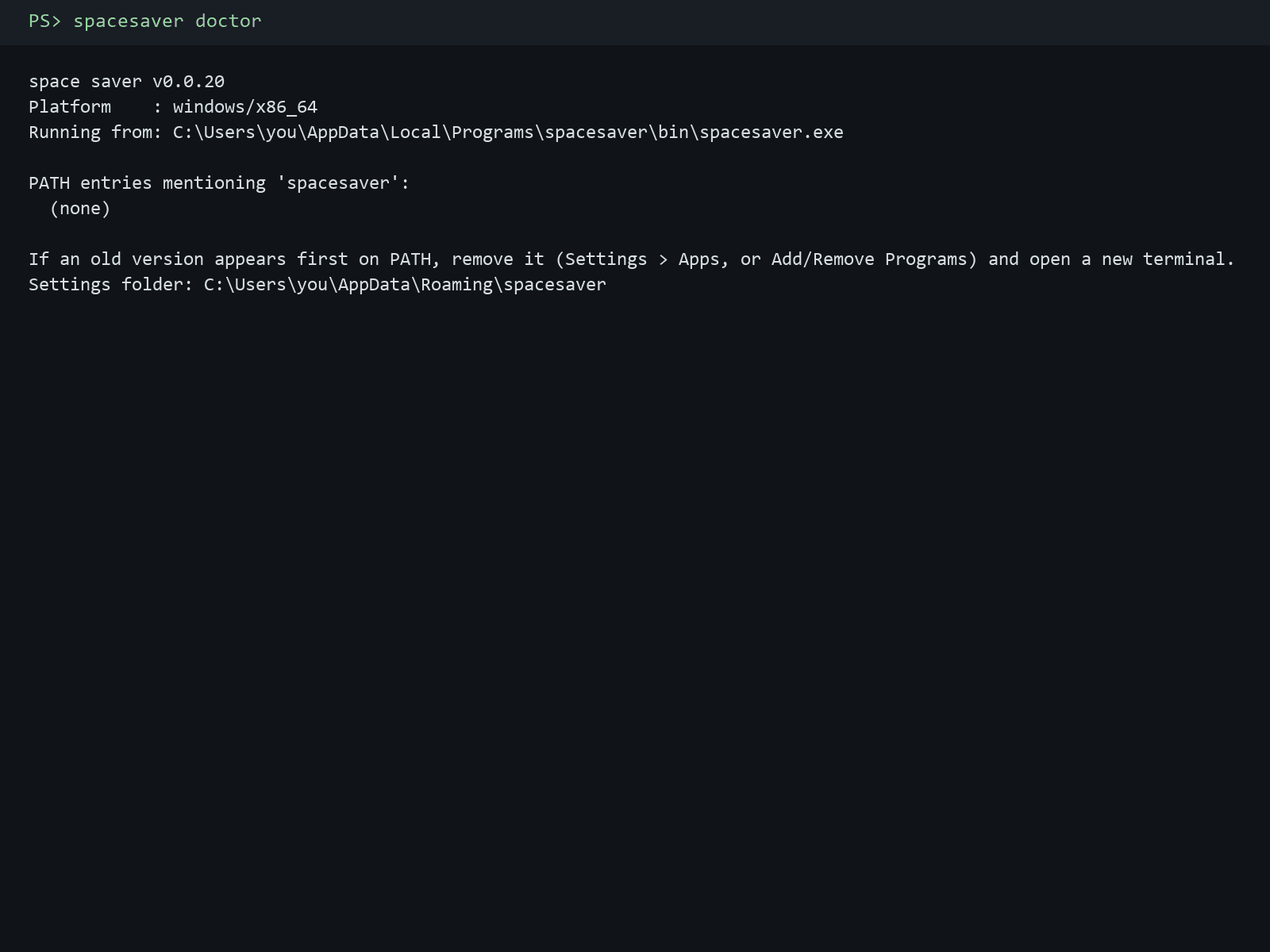
Run "spacesaver uninstall" to remove a binary installed with "spacesaver install", or on macOS and Linux remove ~/.local/bin/spacesaver (the install.sh location; SPACESAVER_BIN_DIR overrides). On Windows, a .msi install is removed from Settings, Apps, Installed apps. Then re-run the one-liner for your system. Run "spacesaver doctor" to see which build is running and where it lives if an old copy is still first on your PATH.
The download is free, with no licence key and nothing to buy. Space Saver is proprietary software under the MyEvent Labs licence: install and run it for your own personal or internal business use. The source repository is private, but you do not need it to download and run the tool.
Bring us the problem. We’ll work through the possibilities together.