READY-TO-USE SOFTWARE
Loading this product.
Fetching the latest release details.
PLEASE WAIT
Live release information is being fetched. This should only take a moment.
READY-TO-USE SOFTWARE
Loading this product.
Fetching the latest release details.
PLEASE WAIT
Live release information is being fetched. This should only take a moment.
13 / SOFTWARE
A terminal-first AI social content studio: turn a rough idea into platform-ready posts, threads and rewrites from your own provider key. Free download.
FREE COMMAND-LINE TOOL
Postr is a single small binary for Windows · macOS · Linux. Open your terminal, paste the line for your system and run it - it installs Postr and puts it on your PATH. It is free: no licence key and nothing to buy.
postr on your PATH.postr.Latest: v0.1.7
curl -fsSL https://postr-updates.myevent-labs.io/postr/install.sh | shInstalls postr into ~/.local/bin (set POSTR_PREFIX to override) and clears the macOS quarantine flag that would block an unsigned binary. Open a new terminal, then run postr.
irm https://postr-updates.myevent-labs.io/postr/install.ps1 | iexInstalls postr.exe under $env:LOCALAPPDATA\Postr and adds that folder to your user PATH. Open a new terminal, then run postr.
Prefer to install by hand? The per-platform archive downloads and SHA256SUMS are below.
Confirm where postr is, delete that install, confirm the command is gone, then run the same installer so you land on v0.1.7. After remove, Get-Command / command -v should not resolve the binary.
(Get-Command postr).Source
Remove-Item "$env:LOCALAPPDATA\Postr" -Recurse -Force
Get-Command postr
irm https://postr-updates.myevent-labs.io/postr/install.ps1 | iexThe first line prints the installed binary path. Then remove the install folder under $env:LOCALAPPDATA\Postr (typically C:\Users\Username\AppData\Local\Postr) and re-run the Windows one-liner. If you installed from the MSI, uninstall Postr from Settings, Apps, Installed apps first.
command -v postr
rm -f "$HOME/.local/bin/postr"
command -v postr
curl -fsSL https://postr-updates.myevent-labs.io/postr/install.sh | shThe install.sh one-liner places postr in ~/.local/bin (or POSTR_PREFIX). Remove it, confirm the command is gone, then re-run the macOS / Linux one-liner.
command -v postr
rm -f "$HOME/.local/bin/postr"
command -v postr
curl -fsSL https://postr-updates.myevent-labs.io/postr/install.sh | shThe install.sh one-liner places postr in ~/.local/bin (or POSTR_PREFIX). Remove it, confirm the command is gone, then re-run the macOS / Linux one-liner.
Built from real production problems through MyEvent Productions. Visit MyEvent Productions
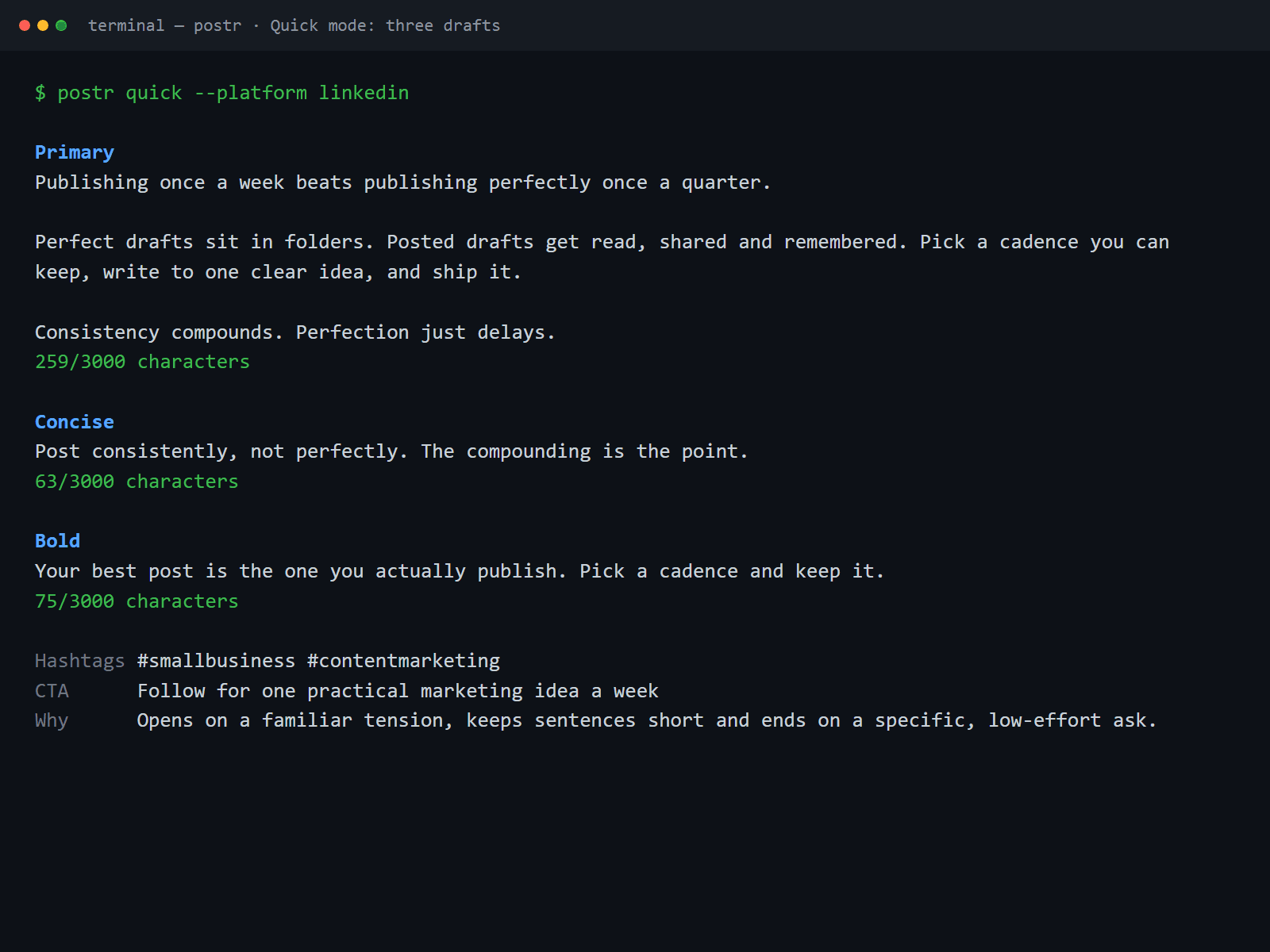
Quick mode asks three questions and returns three drafts. Create mode takes a full brief and returns the best version, already shaped for the platform you are writing for.
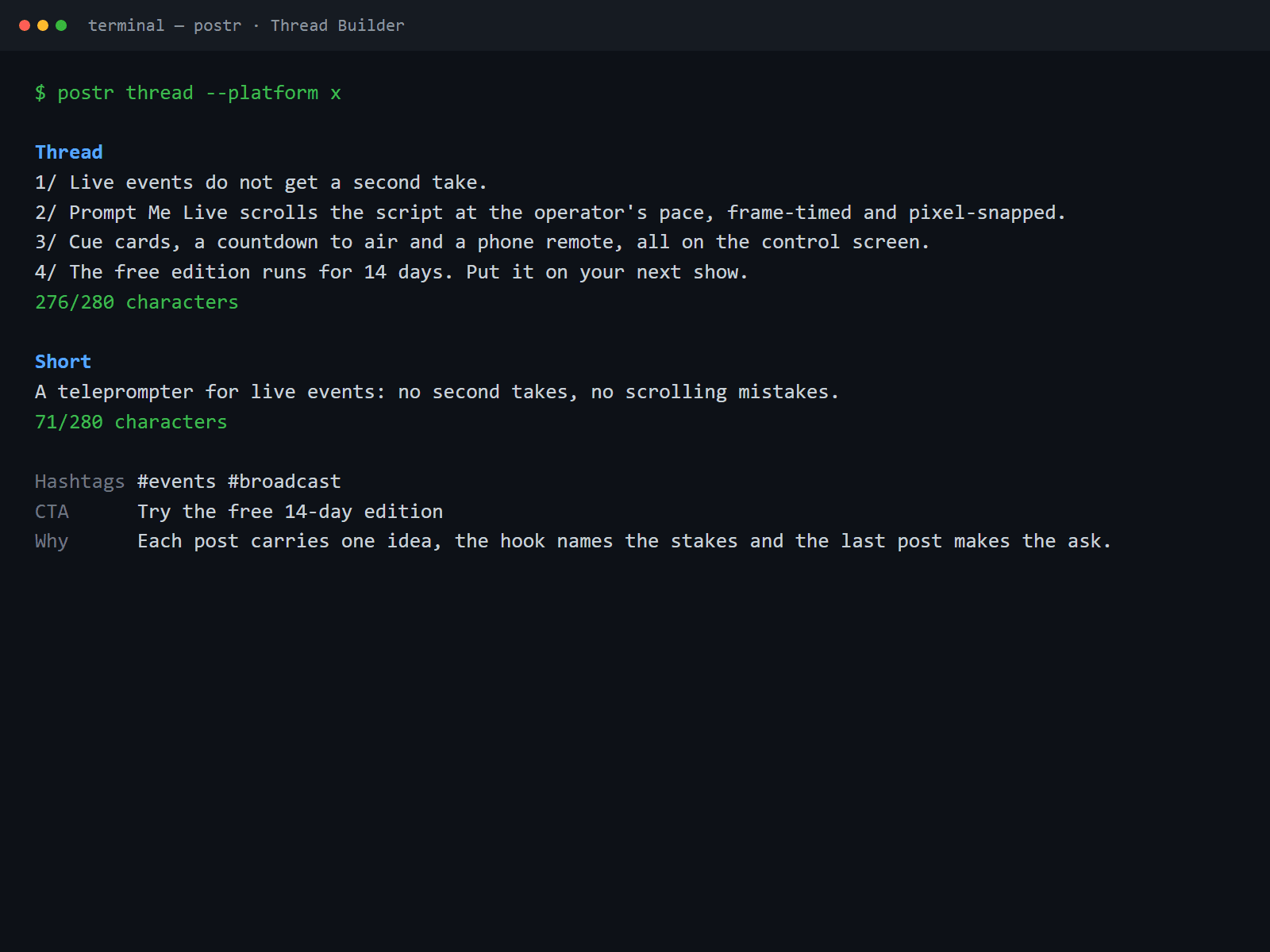
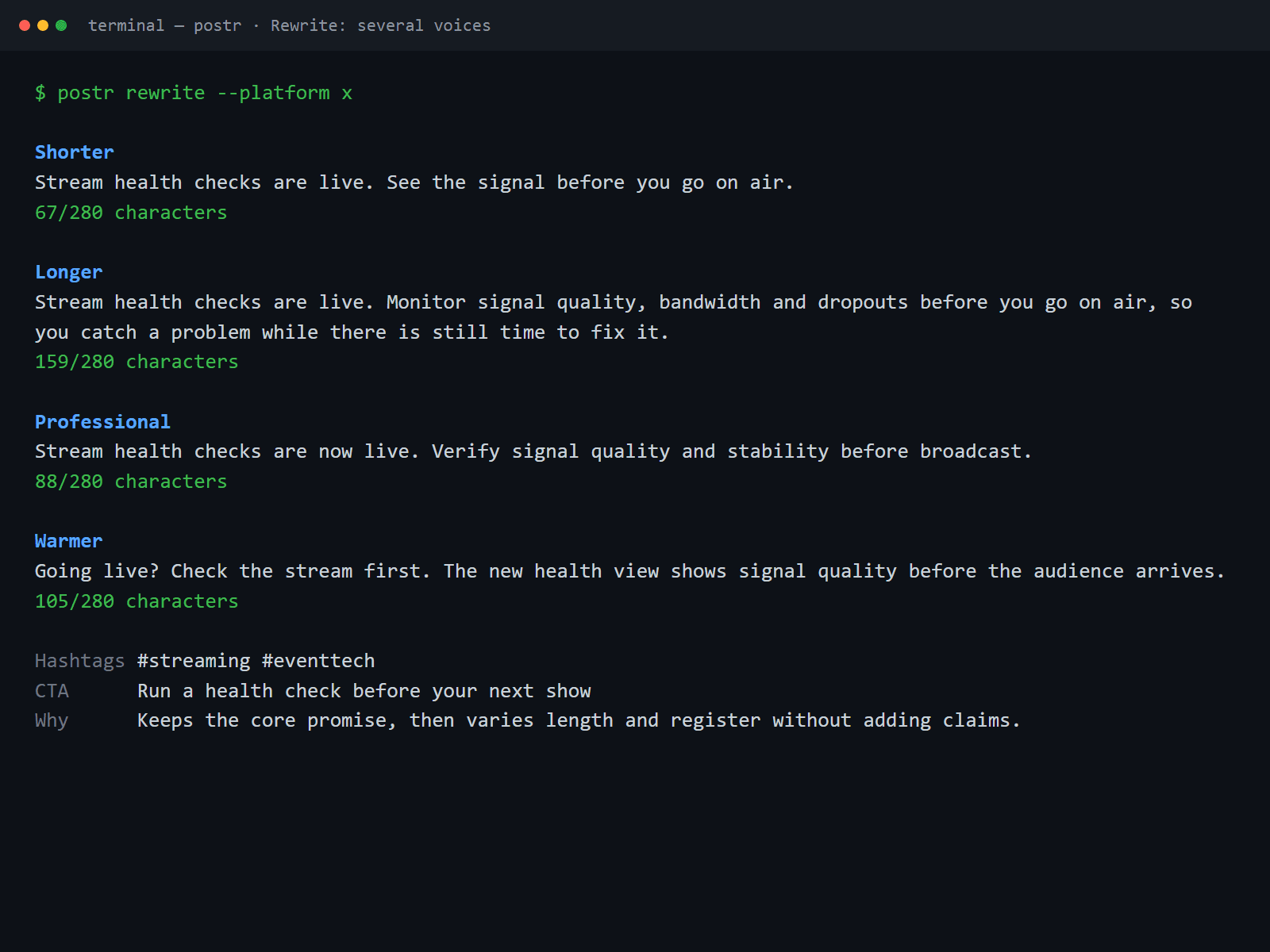
Rewrite one post into shorter, longer, founder, professional, technical, warmer and sharper variations. Thread Builder returns a hook, numbered posts and a closing call to action, and Repurpose adapts a single source for X, LinkedIn, Bluesky, a short version and a thread.
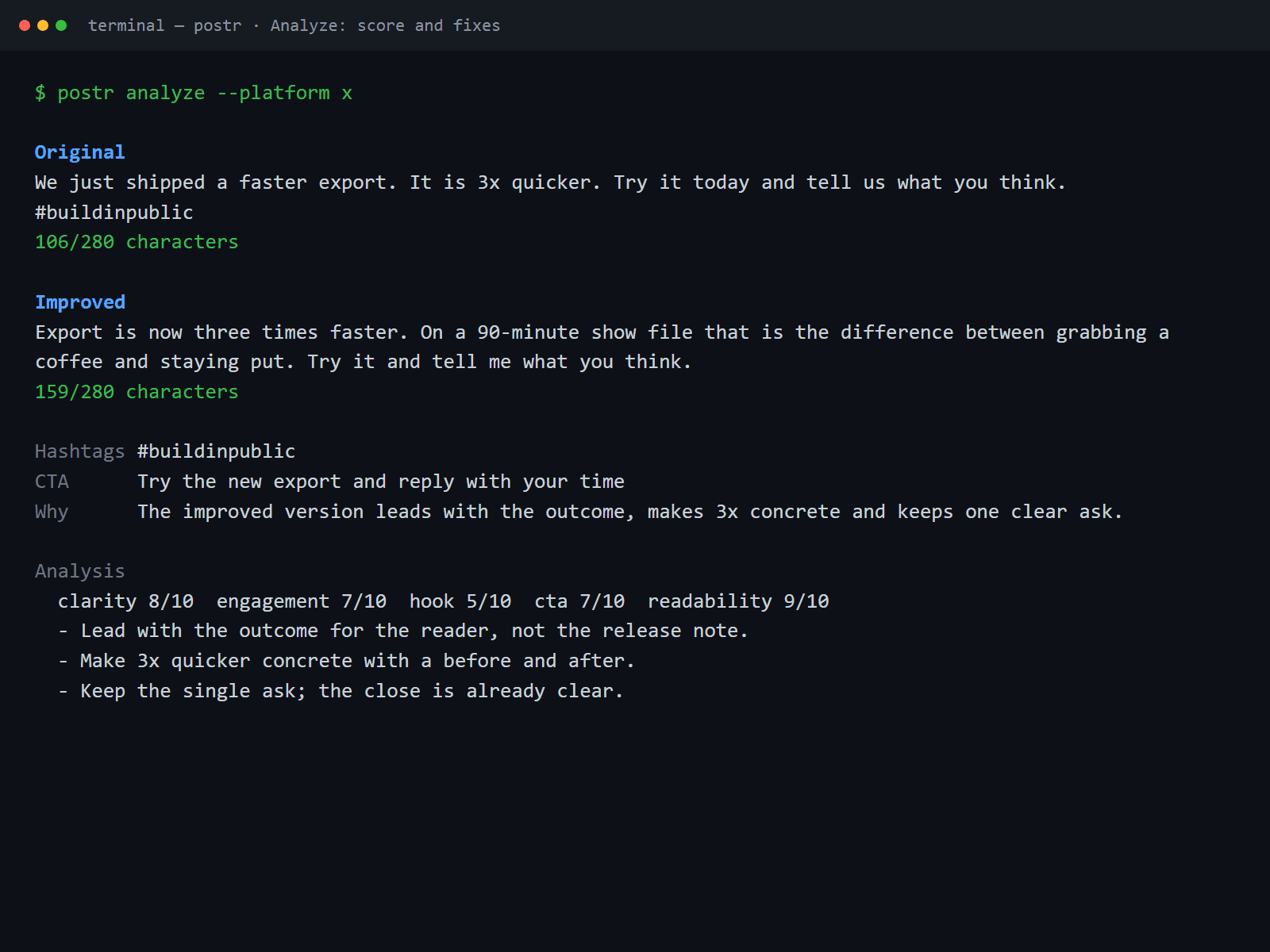
Analyze scores clarity, engagement, hook, CTA and readability, then gives specific recommendations so you can fix a weak draft rather than guess.
Bring your own API key for a supported provider. The local provider works against any OpenAI-compatible endpoint and needs no key at all, so you can point Postr at a model you already run.
Run postr with no arguments to open the full-screen, keyboard-driven studio, or pipe it for plain text. Every result shows character counts against the platform limit, the hashtags and the reasoning behind the choices; press c to copy the draft you are looking at.
Postr is a content creation workstation, not a scheduler and not an automation tool. It drafts and analyzes; you copy and publish. Nothing leaves your machine unless you send it to your own provider.
Run postr update to fetch the newest build from the CDN, verify its SHA-256 against the manifest and swap the binary, keeping the previous one for rollback. The one-line installers on this page never change.
Prefer to install by hand? Download the archive for your platform, verify it against SHA256SUMS, then unpack and run it yourself. The one-line installer at the top of the page does this for you.
Verify your download against SHA256SUMS. Compute the SHA-256 of the file you downloaded and confirm it matches the line for that file name.
Once downloaded, unpack the archive and run postr from your terminal. On Windows, unzip the .zip and run postr.exe, or add it to your PATH. Builds are not code-signed, so Windows SmartScreen and macOS Gatekeeper may ask you to confirm the first launch.
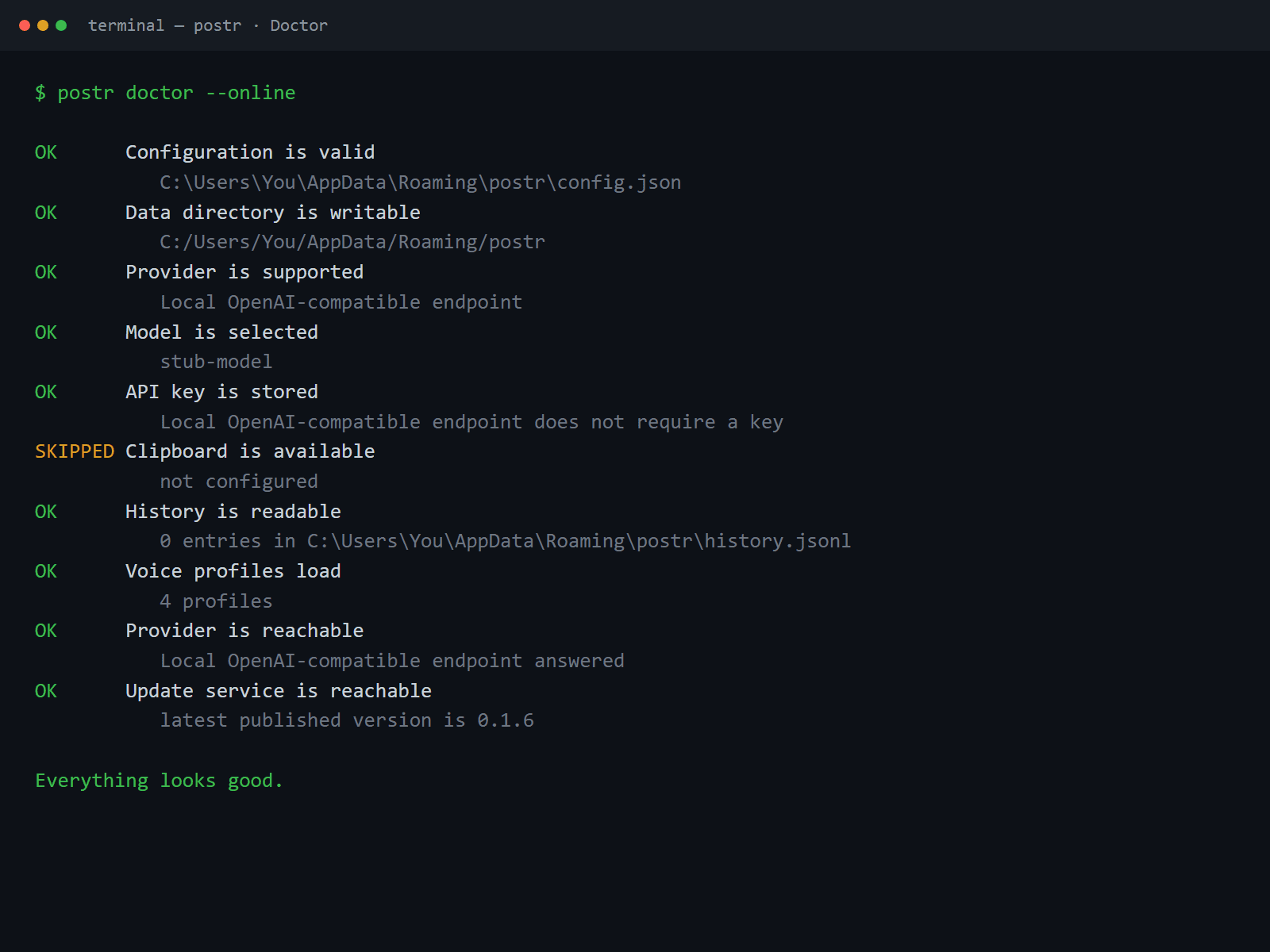
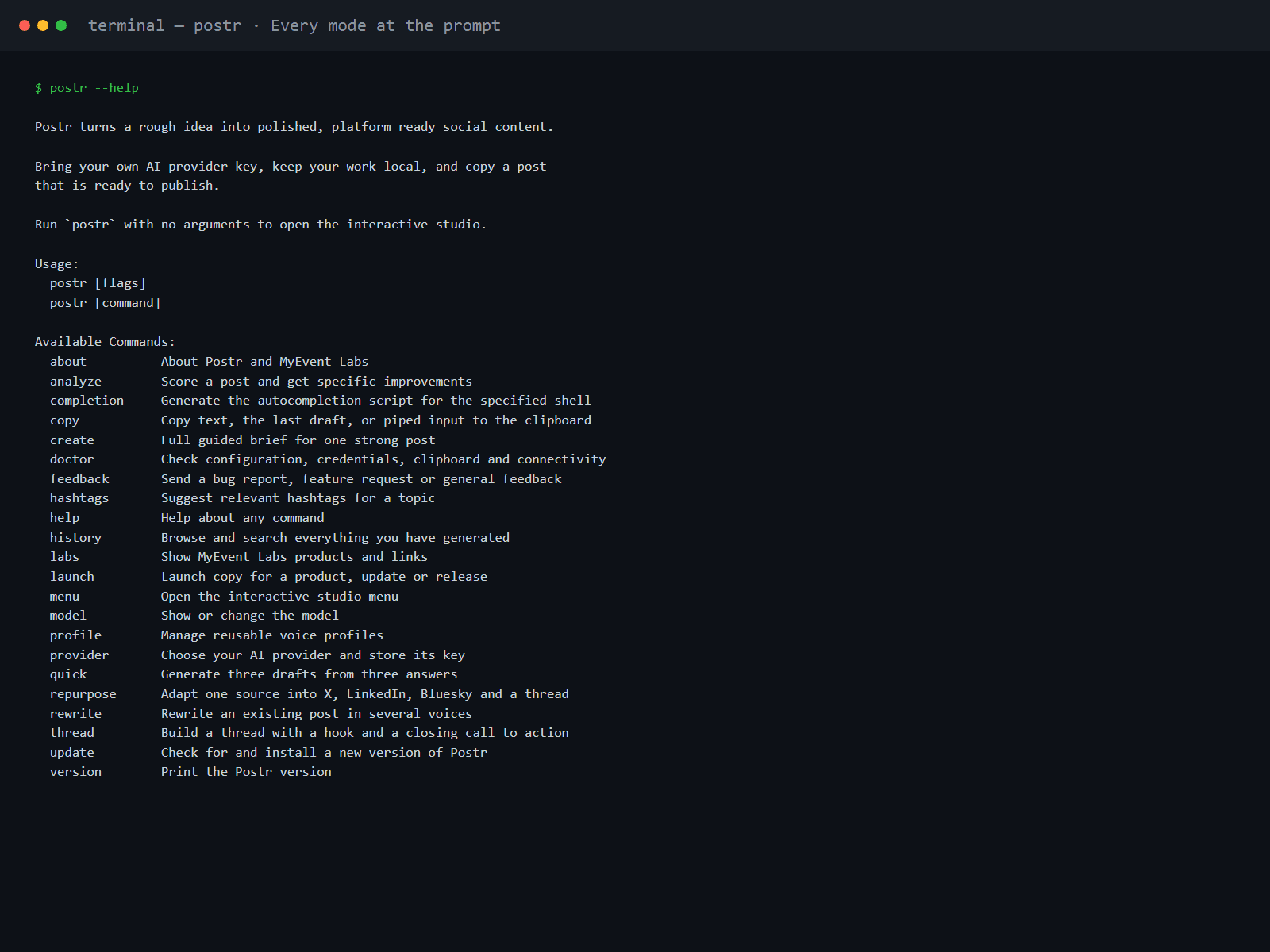
Open your terminal and paste the one-line install script for your system: on macOS or Linux run "curl -fsSL https://postr-updates.myevent-labs.io/postr/install.sh | sh", and on Windows PowerShell run "irm https://postr-updates.myevent-labs.io/postr/install.ps1 | iex". It downloads the latest build, installs postr and puts it on your PATH, so you then just type postr to open the studio. Prefer to install by hand? Download the build for your platform from the downloads on this page, unpack the archive and run postr (on Windows, run the MSI or unzip the .zip and run postr.exe). There is no licence key.
A terminal and your own API key for one of the supported providers. The local provider works against any OpenAI-compatible endpoint and needs no key, so you can try Postr fully offline against a model you run yourself. Building from source instead needs Go 1.27.2 or newer.
No, and that is deliberate. Postr is a content creation workstation: it drafts, rewrites, structures and analyzes, then you copy the result and publish it yourself. It is not a scheduler, not a chatbot and not an automation spam tool, and it never posts on your behalf.
Every release publishes SHA256SUMS.txt next to the downloads. After downloading, compute the SHA-256 of your file and confirm it matches the line for that file name - on macOS or Linux with "shasum -a 256 <file>", and on Windows with "certutil -hashfile <file> SHA256". Only the official archives listed on this page are supported.
Run "postr update". It reads the per-platform manifest for the newest build from the CDN, downloads the artifact with progress, verifies its SHA-256, replaces the binary and keeps the previous one for rollback. The install one-liners on this page are unchanged - they still install postr and put it on your PATH.
On Windows PowerShell, print (Get-Command postr).Source, then Remove-Item "$env:LOCALAPPDATA\Postr" -Recurse -Force (typically C:\Users\Username\AppData\Local\Postr), then run the same one-liner. If you used the MSI, uninstall Postr from Settings, Apps, Installed apps first. On macOS or Linux the default install is ~/.local/bin: run command -v postr, then rm -f "$HOME/.local/bin/postr", then re-run the macOS / Linux one-liner.
The download is free, with no licence key and nothing to buy. Postr is proprietary software under the MyEvent Labs licence: install and run it for your own personal or internal business use, with no copying, modification, distribution, sublicensing or resale. The source repository is private, but you do not need it to download and run Postr. Third-party component notices ship with each release.
Bring us the problem. We’ll work through the possibilities together.