23 / SOFTWARE
PortScope
See which program is using which network port on your PC, with a plain-English note on what each port is for.
FREE DESKTOP APP
See which app is using which port.
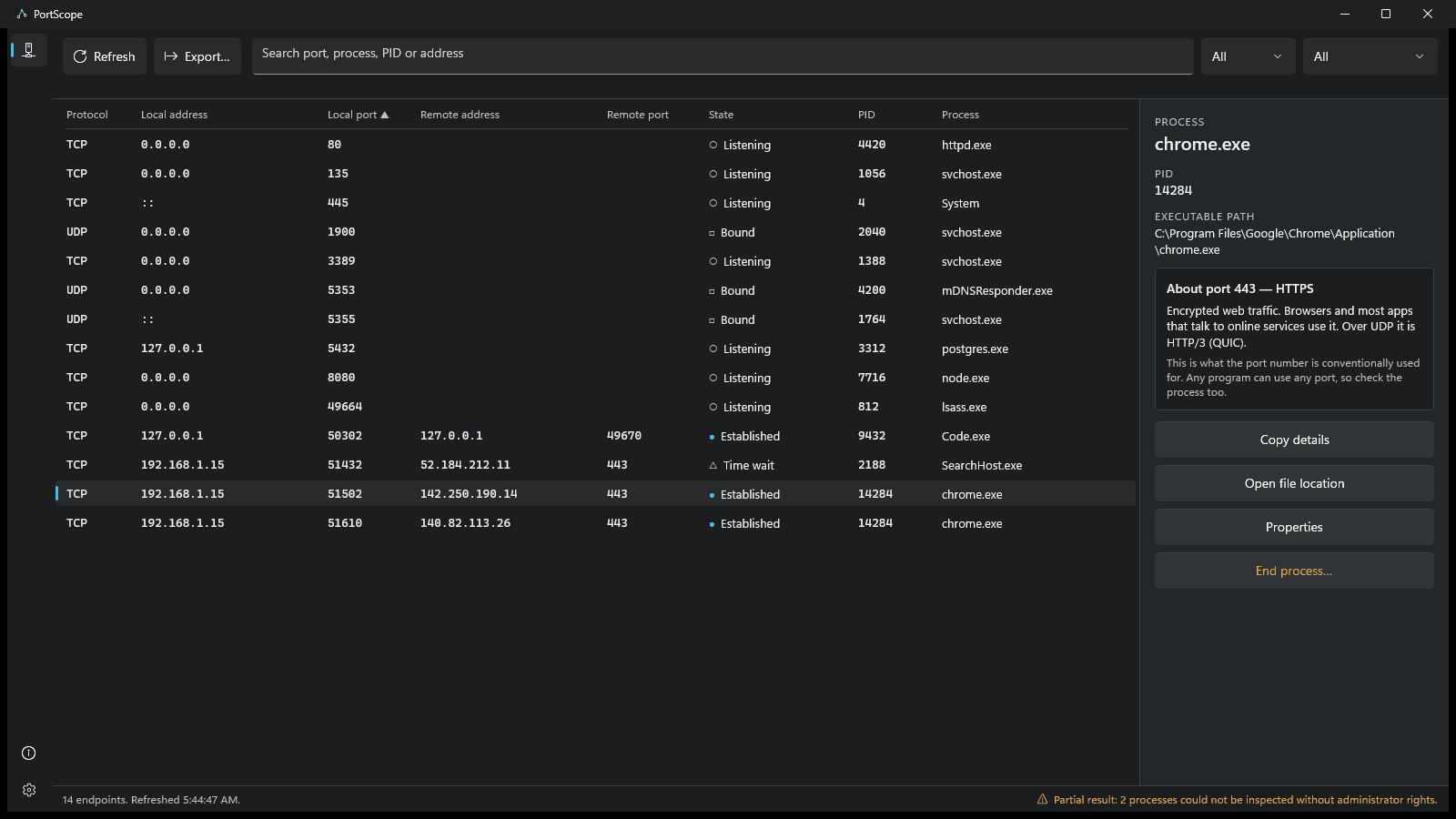
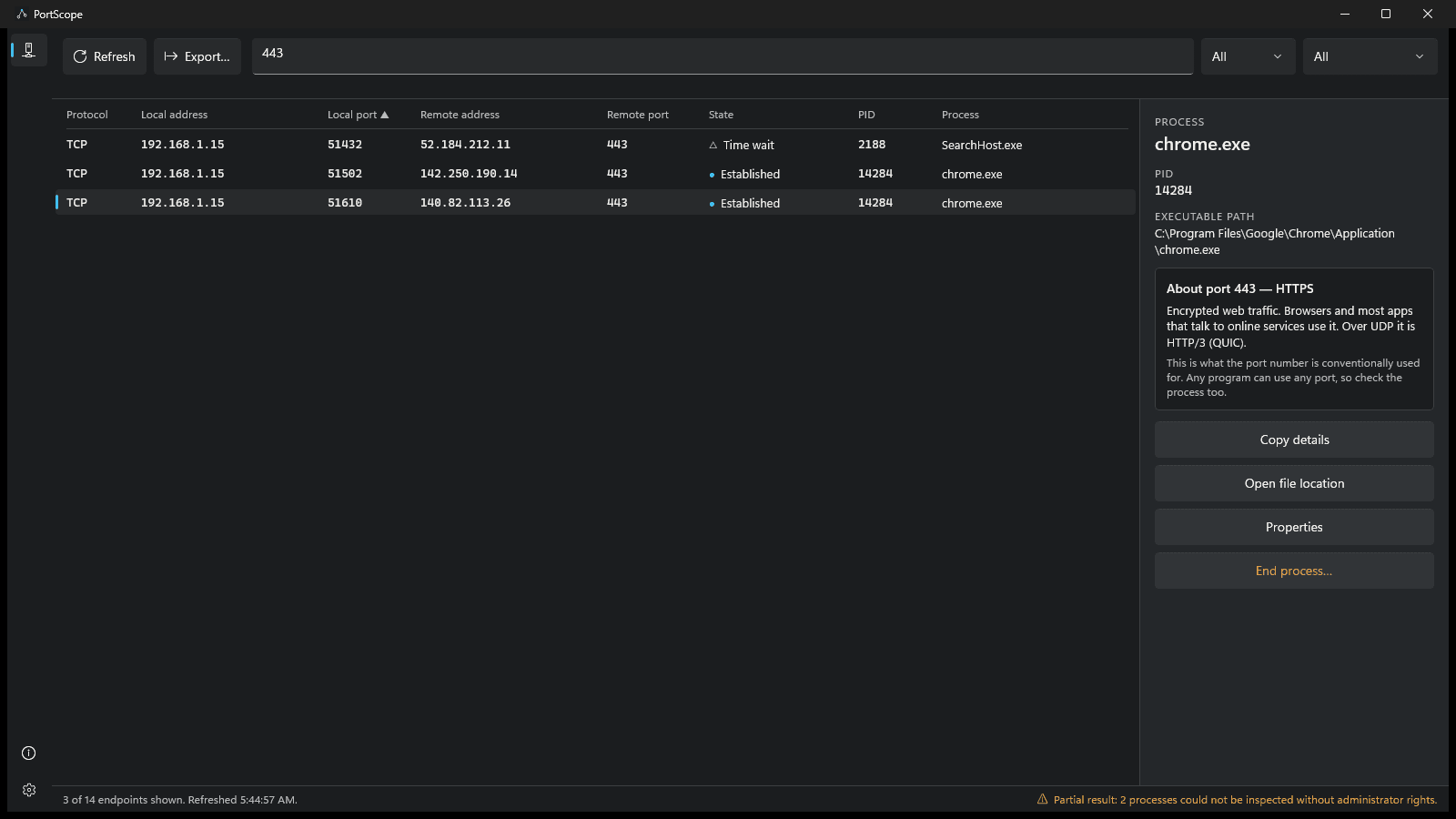
PortScope lists the network ports open on your PC and the connections in use right now, and names the program behind each one. Search by port number, program, process ID, protocol, state or address, select a row to see the program's full path, and read a short note on what that port is normally used for. It describes ports and programs; it does not judge whether they are safe, and it is not an antivirus or a firewall.
Version 0.1.0 · Windows 11
The shortcut is Ctrl+F by default. It moves to the search box so you can type a port or program name. F5 refreshes the list and Ctrl+C copies the selected row.
- What it solves
- A free Windows 11 utility that lists every open port and live connection with the program that owns it. Search by port, program or address, then copy or export the list.
- Who it is for
- Windows users who need to know which program is holding a network port - developers, IT support and anyone tracking down a port conflict.
- What is included
- Per-platform installers, with the first-run shortcut shown below.
- Supported platforms
- Windows 11
- Pricing and licence
- Free. No licence, account, ads or paid tier.
- Data and privacy
- Ports, addresses and program names stay on your PC. Optional usage data, off by default, sends feature labels only to MyEvent Labs' analytics provider.
- Support
- Feedback form; there is no guaranteed response time.
- Release status
- Coming soon
Built from real production problems through MyEvent Productions. Visit MyEvent Productions
Every port, with its owner
TCP and UDP listeners and active TCP connections, over IPv4 and IPv6, each with the process name, process ID and full program path.
Find it in seconds
Search by port, program, process ID, protocol, state or address, filter by protocol and state, and sort any column.
Plain-English port notes
Select a row to read what that port number is conventionally used for. The notes are stored in the app, and each one reminds you that any program can use any port.
Act on what you find
Copy the details, open the program's folder, view its file properties, or end the program. Ending a program always asks you to confirm first.
Export after a review
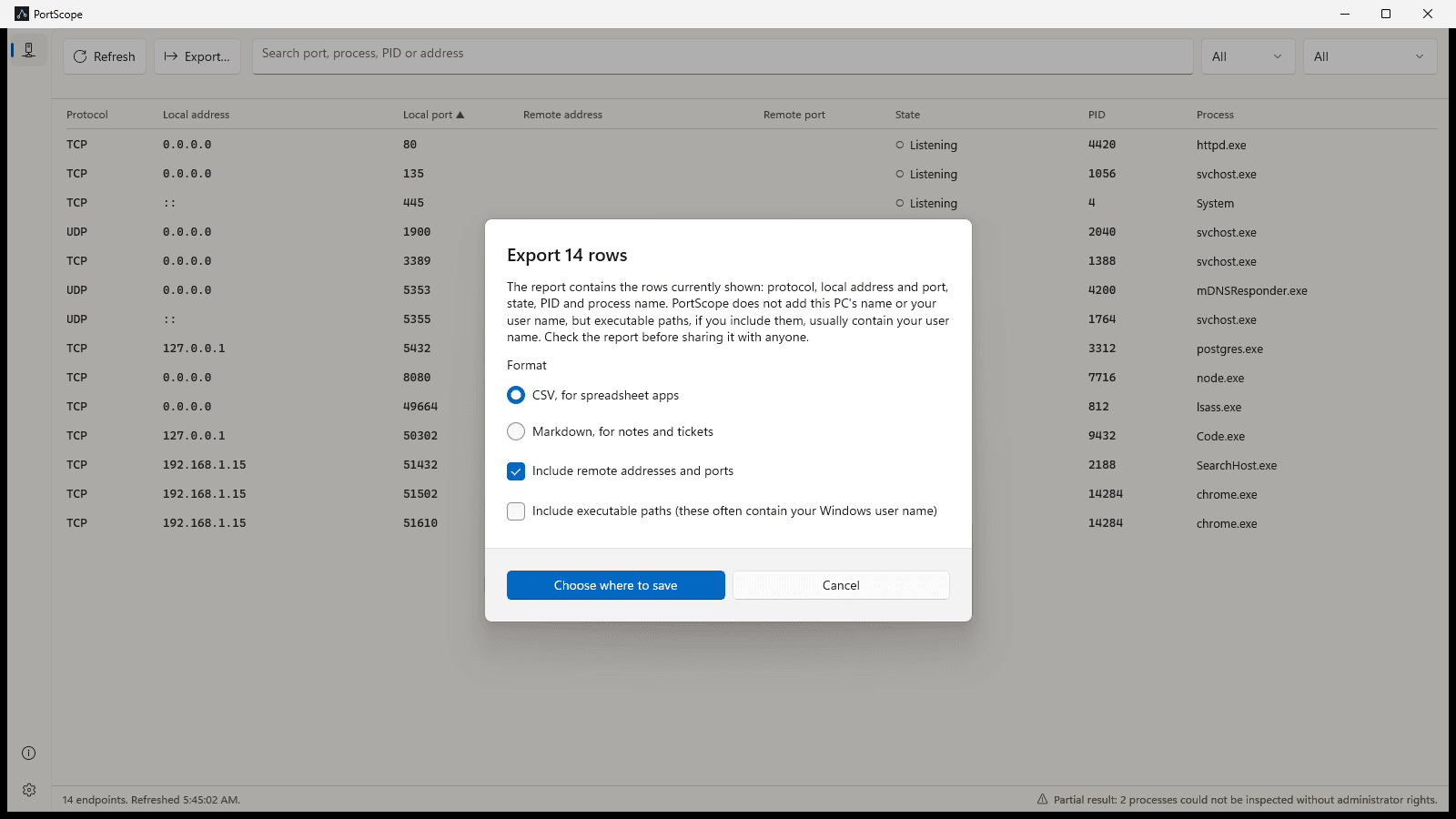
Save what you see as CSV or Markdown. Before the file is written you choose whether it includes remote addresses and program paths, which often contain your Windows user name.
Your connections stay on your PC
PortScope needs no account and works offline. Nothing about your ports, addresses or programs is sent anywhere.
What stays on your machine
The list of ports, addresses and programs is read on your PC and stays there; PortScope never sends it anywhere. Sharing usage data is off unless you turn it on. If you do, PortScope sends which features are used, from a fixed list of labels such as "refresh" or "export", with the app version and random IDs, to MyEvent Labs' analytics provider, PostHog. It never sends ports, addresses, program names, file paths or search text, and you can turn it off again in Settings.
The full privacy information covers the detail.
What does it cost?
Nothing. PortScope is free, with no account, no ads and no paid tier.
When can I get it?
PortScope 0.1.0 is being prepared for the Microsoft Store and is not available yet. This page will link to the Store listing when it is published.
Which systems does it run on?
Windows 11, version 22H2 or later, on x64 PCs. Windows 10 and ARM64 PCs are not supported in this version.
Does it tell me whether a port or program is safe?
No. PortScope describes what is open and which program owns it. It is not an antivirus or a firewall and does not judge whether anything is safe or malicious.
Does it need administrator rights?
No. Without them, Windows hides the file path of some system processes, and PortScope lists those by name and says the result is partial. A few protected system processes stay hidden even from an administrator.
Is anything about my network sent anywhere?
No. Ports, addresses, program names and paths never leave your PC. The only network traffic PortScope can send is optional usage data, which is off unless you turn it on and contains feature labels only.
What needs
to work better?
Discuss a digital project Bring us the problem. We’ll work through the possibilities together.