READY-TO-USE SOFTWARE
Loading this product.
Fetching the latest release details.
PLEASE WAIT
Live release information is being fetched. This should only take a moment.
READY-TO-USE SOFTWARE
Loading this product.
Fetching the latest release details.
PLEASE WAIT
Live release information is being fetched. This should only take a moment.
03 / SOFTWARE
A free command-line tool that measures HTTPS application-layer throughput and round-trip time from your terminal - not ICMP, and not traceroute.
FREE COMMAND-LINE TOOL
Labs Speedtest is a single small binary for Windows · macOS · Linux. Open your terminal, paste the line for your system and run it - it installs Labs Speedtest and puts it on your PATH. It is free: no licence key and nothing to buy.
labs-speedtest on your PATH.labs-speedtest.Latest: v0.1.2
![A terminal running Labs Speedtest: the header shows Labs Speedtest and the running version, colour-coded results reading Download 1180.87 Mbps [excellent], Upload 410.52 Mbps [excellent] and RTT 28.8 ms avg [good], each a median of 3 runs, plus Link, Local IP and Public IP, with an https://www.myevent-labs.io footer.](/_next/image?url=%2Fproducts%2Flabs-speedtest%2Fresults.png&w=3840&q=75&dpl=dpl_HTxda9EunmYpRKeeE22ZVmDN7gEW)
curl -fsSL https://releases.myevent-labs.io/labs-speedtest/install.sh | shirm https://releases.myevent-labs.io/labs-speedtest/install.ps1 | iexPrefer to install by hand? The per-platform archive downloads and SHA256SUMS are below.
Confirm where labs-speedtest is, delete that install, confirm the command is gone, then run the same installer so you land on v0.1.2. After remove, Get-Command / command -v should not resolve the binary.
(Get-Command labs-speedtest).Source
Remove-Item "$env:LOCALAPPDATA\Programs\labs-speedtest" -Recurse -Force
Get-Command labs-speedtest
irm https://releases.myevent-labs.io/labs-speedtest/install.ps1 | iexPrefer $env:LOCALAPPDATA\Programs\labs-speedtest - it follows the signed-in account. Same folder written out: C:\Users\Username\AppData\Local\Programs\labs-speedtest (replace Username).
command -v labs-speedtest
rm -f "$HOME/.local/bin/labs-speedtest" "$HOME/.local/bin/mls"
command -v labs-speedtest
curl -fsSL https://releases.myevent-labs.io/labs-speedtest/install.sh | shcommand -v labs-speedtest
rm -f "$HOME/.local/bin/labs-speedtest" "$HOME/.local/bin/mls"
command -v labs-speedtest
curl -fsSL https://releases.myevent-labs.io/labs-speedtest/install.sh | shBuilt from real production problems through MyEvent Productions. Visit MyEvent Productions
Labs Speedtest opens real HTTPS requests and reports the throughput and round-trip time your applications would see, so the numbers reflect the web path rather than a lower-layer probe. A default run also shows your link type (ethernet or wifi), local IP and public IP; share-to-social still uses this shop URL and does not include those addresses.
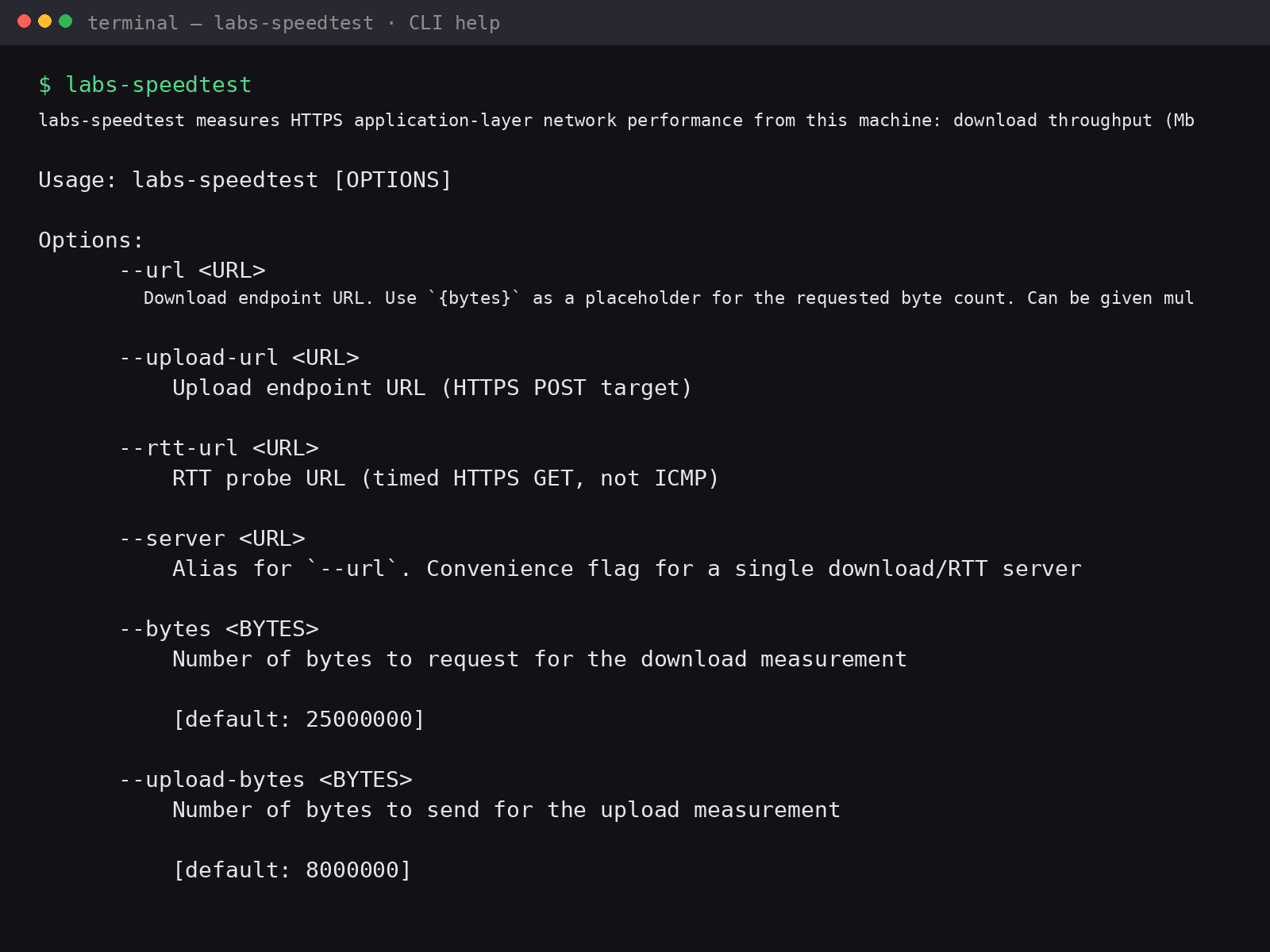
One small binary, scriptable output and sensible defaults. Results open with Labs Speedtest and the running version, and the footer is https://www.myevent-labs.io (clickable in capable terminals). Press h or ? for in-app help.
Run labs-speedtest --update, or press u in the running app, to fetch a newer build from the CDN, verify it against SHA256SUMS, then replace the binary and restart. The install one-liners on this page stay the same; they keep putting labs-speedtest on your PATH.
It is an HTTPS throughput and round-trip time tool, not a network diagnostic suite. It does not send ICMP echoes and it does not run a traceroute.
| Key or command | What it does |
|---|---|
h or ? | Open in-app help while Labs Speedtest is running. |
u | Self-update from the CDN, verify SHA256SUMS, replace the binary and restart. |
labs-speedtest --update | The same self-update from the command line, without the interactive session. |
Labs Speedtest v0.1.2
----------------------------------------
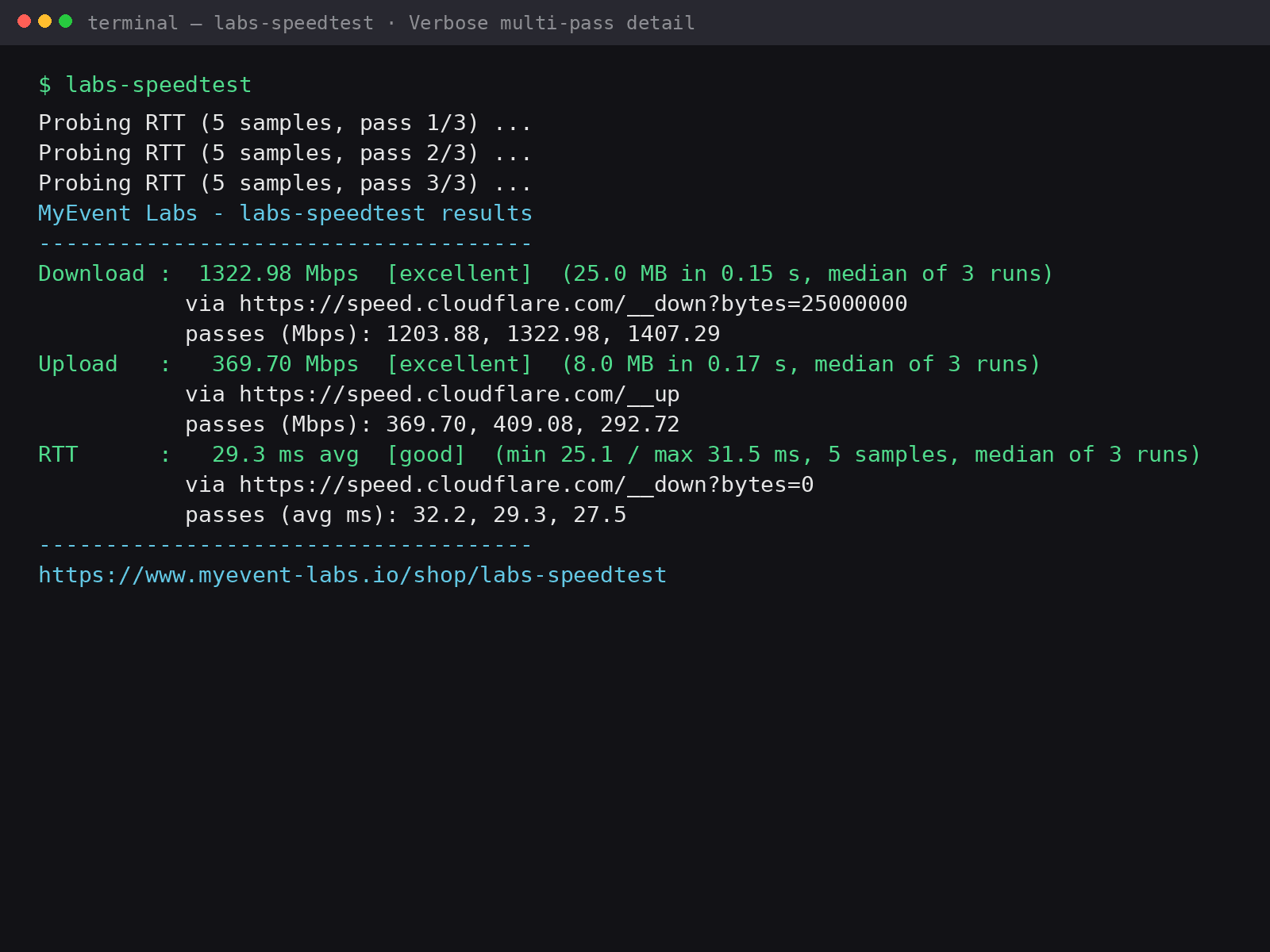
Download : 1180.87 Mbps [excellent] (25.0 MB in 0.17 s, median of 3 runs)
Upload   : 410.52 Mbps [excellent] (8.0 MB in 0.16 s, median of 3 runs)
RTT      : 28.8 ms avg [good] (min 26.6 / max 30.5 ms, 5 samples, median of 3 runs)
Link     : ethernet
Local IP : 192.0.2.10
Public IP: 203.0.113.50
----------------------------------------
https://www.myevent-labs.io
Illustrative layout of a default run, using the published v0.1.2 result figures and documentation IP addresses. Share-to-social uses this shop URL and does not include IP addresses.
Prefer to install by hand? Download the archive for your platform, verify it against SHA256SUMS, then unpack and run it yourself. The one-line installer at the top of the page does this for you.
Verify your download against SHA256SUMS. Compute the SHA-256 of the file you downloaded and confirm it matches the line for that file name.
Once downloaded, unpack the archive and run labs-speedtest from your terminal. On Windows, unzip the .zip and run labs-speedtest.exe, or add it to your PATH. Builds are not code-signed, so Windows SmartScreen and macOS Gatekeeper may ask you to confirm the first launch.
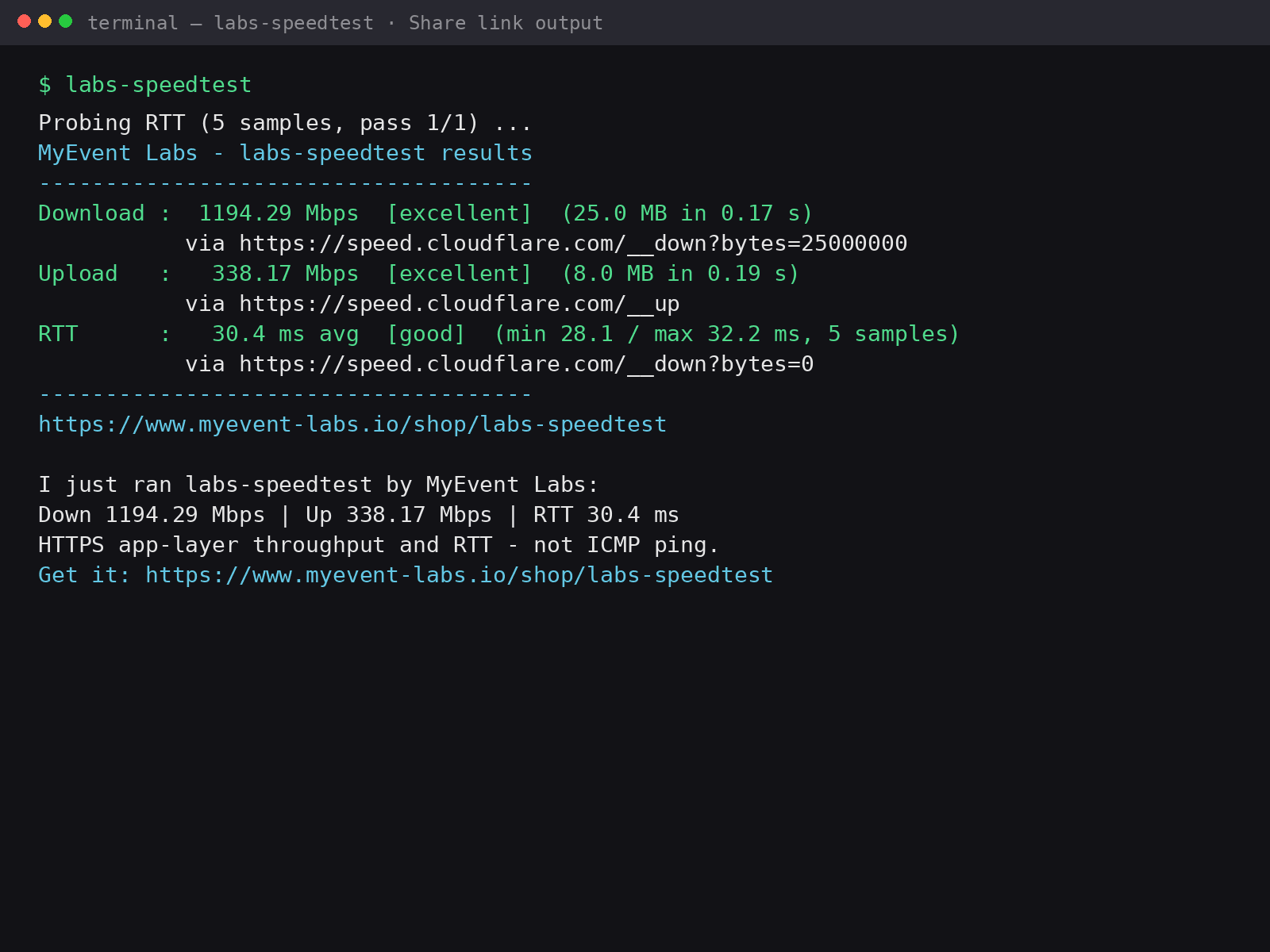
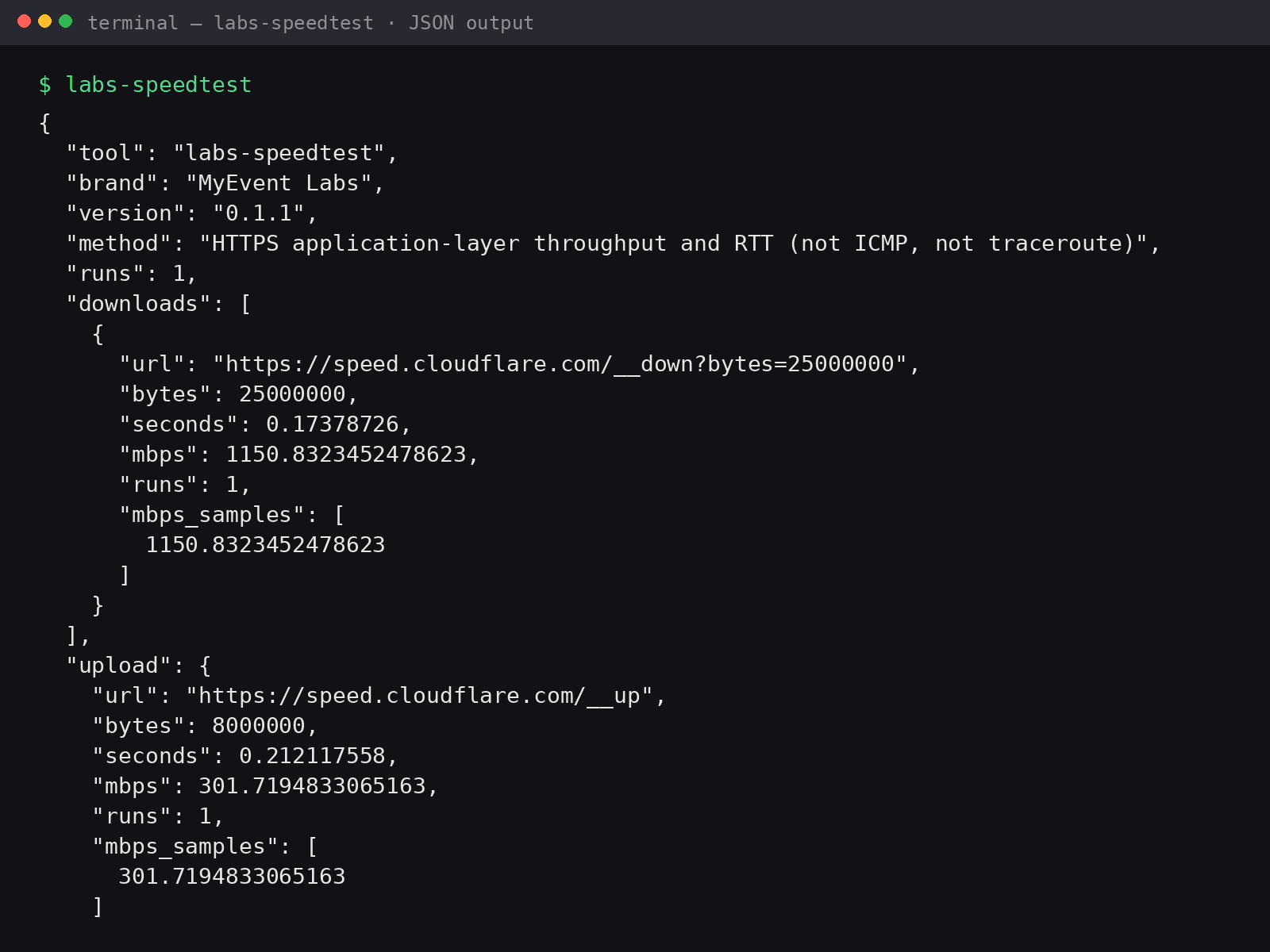
![Labs Speedtest in single-run mode: one pass reporting Download 1173.06 Mbps [excellent], Upload 332.55 Mbps [excellent] and RTT 33.3 ms avg [good], each via a Cloudflare speed endpoint.](/_next/image?url=%2Fproducts%2Flabs-speedtest%2Fsingle.png&w=3840&q=75&dpl=dpl_HTxda9EunmYpRKeeE22ZVmDN7gEW)
Open your terminal and paste the one-line install script for your system: on macOS or Linux run "curl -fsSL https://releases.myevent-labs.io/labs-speedtest/install.sh | sh", and on Windows PowerShell run "irm https://releases.myevent-labs.io/labs-speedtest/install.ps1 | iex". It installs everything and puts labs-speedtest on your PATH, so you then just type labs-speedtest to run it. Prefer to install by hand? Download the build for your platform from the downloads on this page, unpack the archive, and run labs-speedtest (on Windows, unzip the .zip and run labs-speedtest.exe). There is no installer to click through and no licence key.
Every release publishes a SHA256SUMS manifest next to the downloads. After downloading, compute the SHA-256 of your file and confirm it matches the line for that file name - on macOS or Linux with "shasum -a 256 <file>", and on Windows with "certutil -hashfile <file> SHA256". Only the official archives listed on this page are supported.
From a terminal run "labs-speedtest --update", or press u while the app is running. It checks the CDN for a newer build, verifies SHA256SUMS, replaces the binary and restarts. The install one-liners on this page are unchanged - they still install labs-speedtest and put it on your PATH.
Confirm the current binary, delete the install location, confirm the command is gone, then run the same one-liner. On Windows PowerShell prefer Remove-Item "$env:LOCALAPPDATA\Programs\labs-speedtest" -Recurse -Force (same folder as C:\Users\Username\AppData\Local\Programs\labs-speedtest). Sequence: (Get-Command labs-speedtest).Source, then that Remove-Item, then Get-Command labs-speedtest, then irm https://releases.myevent-labs.io/labs-speedtest/install.ps1 | iex. On macOS or Linux the default install is ~/.local/bin: command -v labs-speedtest, then rm -f "$HOME/.local/bin/labs-speedtest" "$HOME/.local/bin/mls", then command -v labs-speedtest, then curl -fsSL https://releases.myevent-labs.io/labs-speedtest/install.sh | sh.
Press h or ? while Labs Speedtest is running for in-app help. You can also run labs-speedtest --help for the full flag list.
A default run reports download, upload and HTTPS round-trip time, then Link (ethernet or wifi), Local IP and Public IP. The header shows Labs Speedtest and the running version; the footer is https://www.myevent-labs.io. Sharing still uses this shop URL and does not include IP addresses.
No. Labs Speedtest measures HTTPS application-layer throughput and round-trip time. It does not send ICMP echo requests and it does not trace the route between hops.
It is free. There is no licence key and nothing to buy. The prebuilt downloads are free on this page; the source repository is currently private, but you do not need it to download and run the tool.
Bring us the problem. We’ll work through the possibilities together.