READY-TO-USE SOFTWARE
Loading this product.
Fetching the latest release details.
PLEASE WAIT
Live release information is being fetched. This should only take a moment.
READY-TO-USE SOFTWARE
Loading this product.
Fetching the latest release details.
PLEASE WAIT
Live release information is being fetched. This should only take a moment.
17 / SOFTWARE
A security-gated MCP server for Bitfocus Companion: the AI can read show state and press only the buttons you allow, with writes off by default.
FREE OPEN-SOURCE MCP SERVER
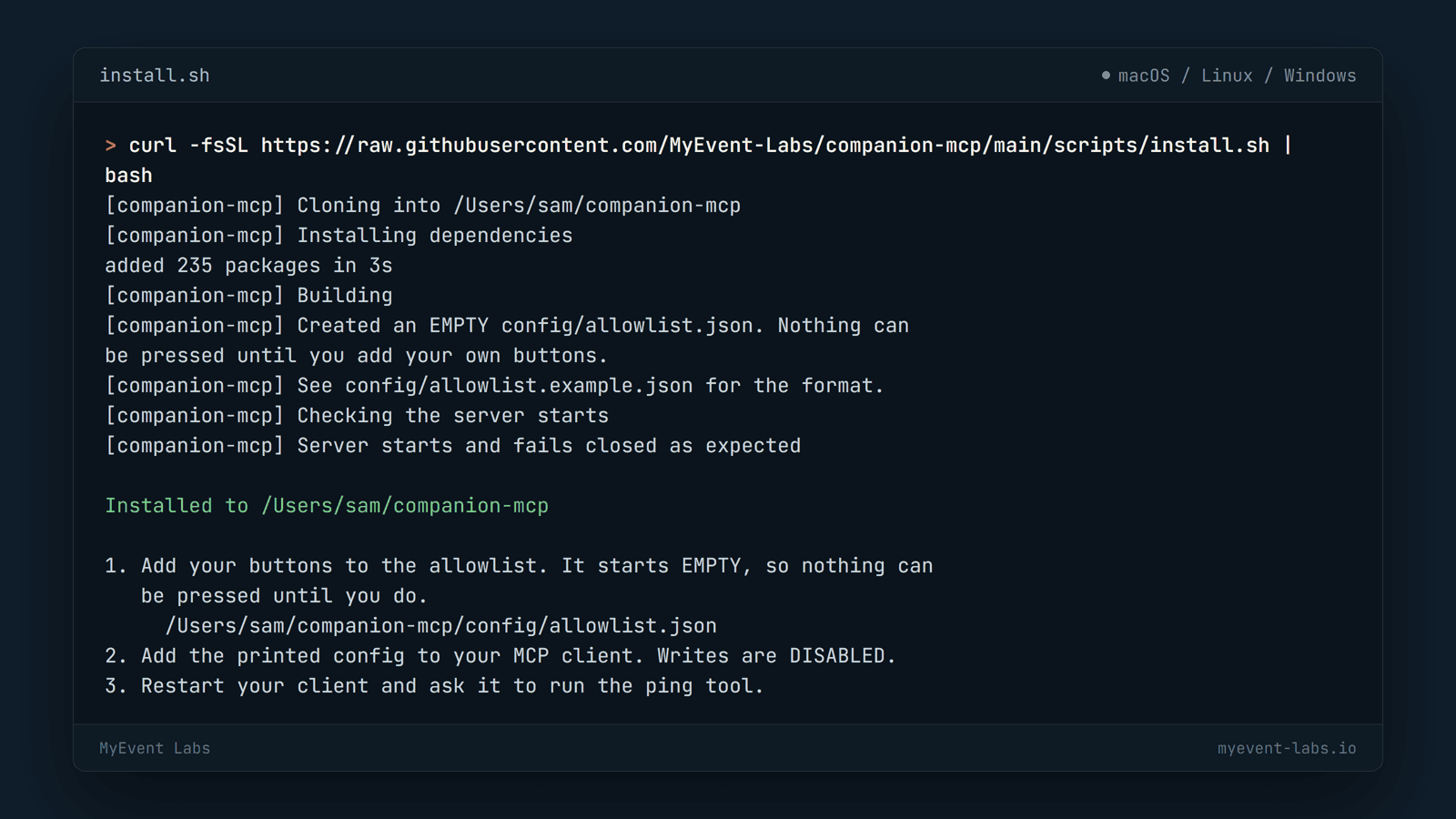
Companion MCP is a local MCP server for Bitfocus Companion 5.0.7. Open your terminal, paste the line for your system and run it: it clones, builds, creates an empty allowlist and prints the client config with your paths filled in. It needs Node.js 22 or later. It is free and open source under the MIT licence.
Latest: v0.1.1
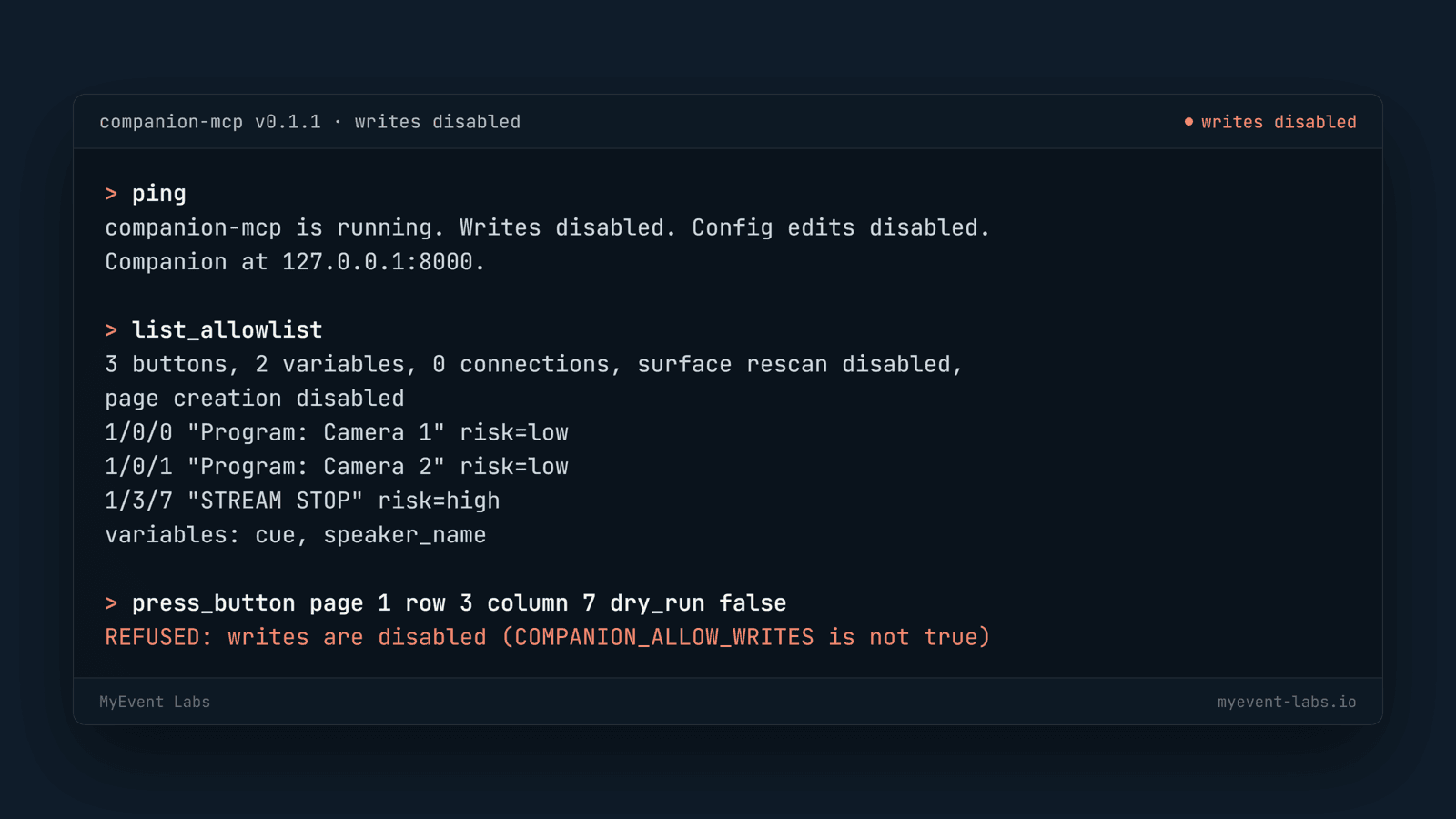
curl -fsSL https://raw.githubusercontent.com/MyEvent-Labs/companion-mcp/main/scripts/install.sh | bashirm https://raw.githubusercontent.com/MyEvent-Labs/companion-mcp/main/scripts/install.ps1 | iexUntil you add buttons to the allowlist, nothing can be pressed.
Built from real production problems through MyEvent Productions. Visit MyEvent Productions
It covers every command in Companion's documented HTTP API: read variables and connection status, press and rotate allowlisted buttons, set steps and styles, and restart, enable or disable connections.
A refusal comes back as a plain reason, never a stack trace, so the assistant can tell you which gate stopped it and what to change.
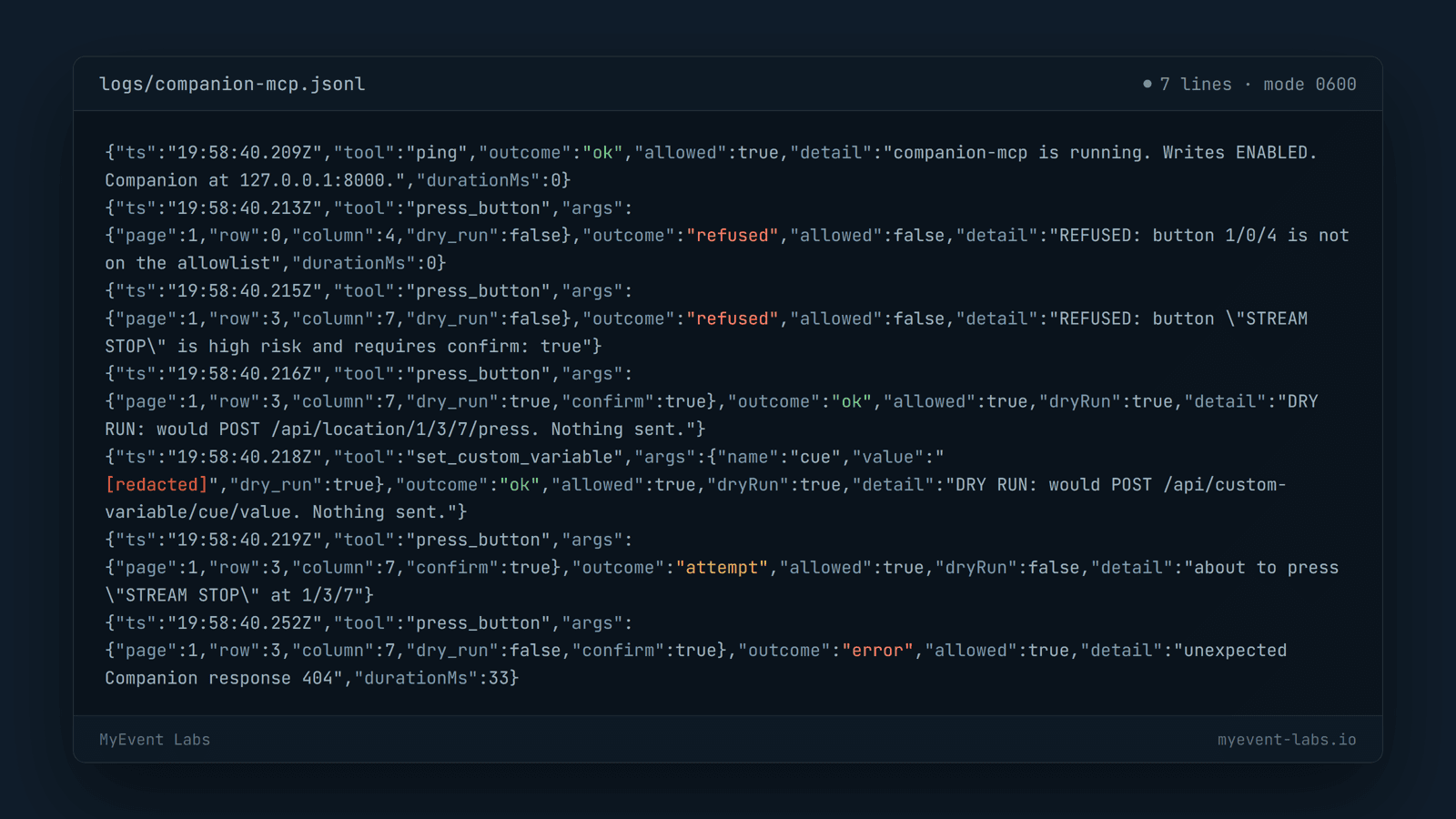
One JSON line per tool call in logs/companion-mcp.jsonl, with attempt, ok, refused and error outcomes, redacted variable values, mode 0600 and a 5 MB rotation.
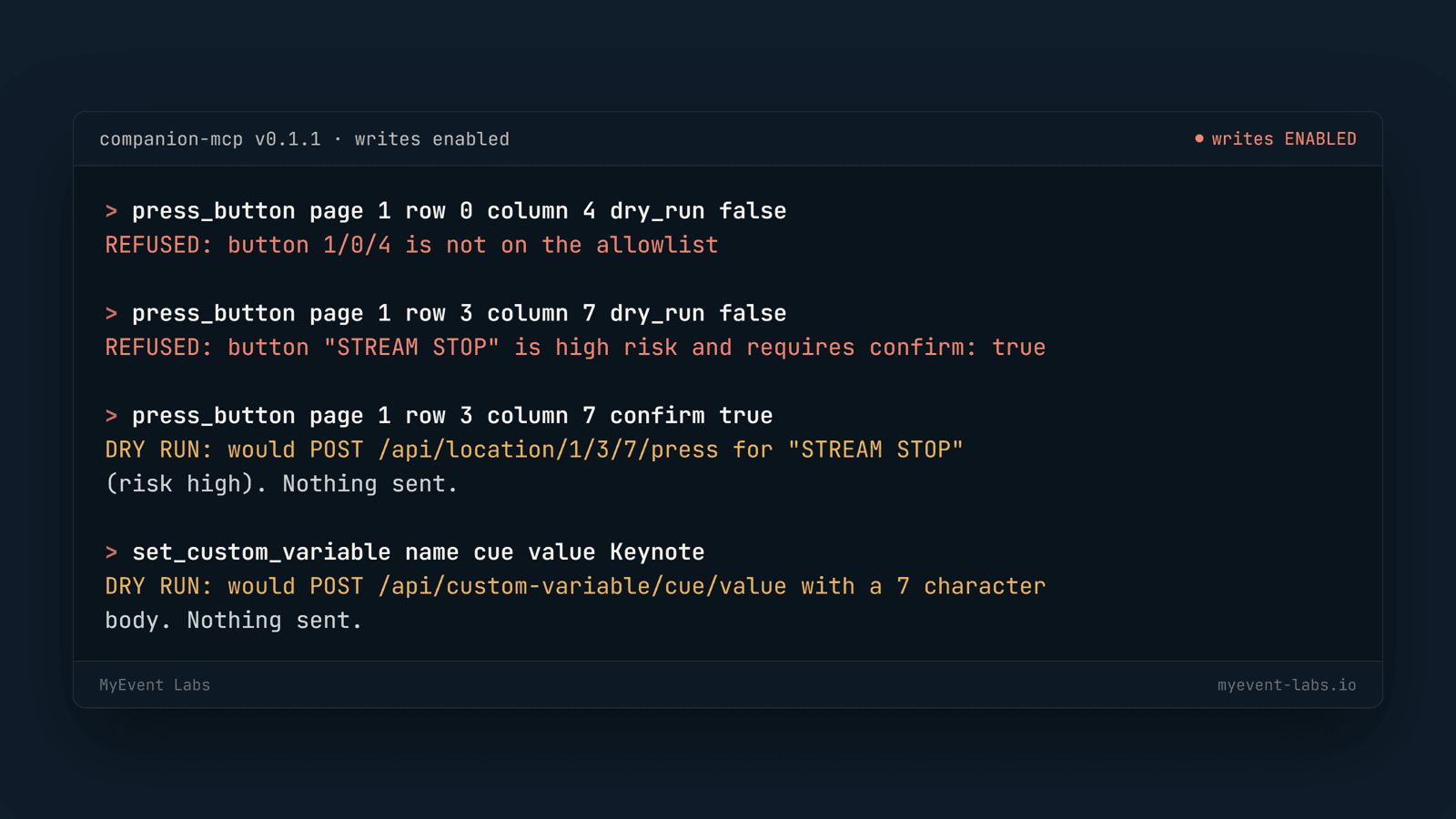
Nothing is written unless COMPANION_ALLOW_WRITES is true, and every write reports what it would send unless the AI passes dry_run: false.
Only buttons, variables and connections you list can be written. Anything else is refused, whatever the AI asks.
Buttons you mark high risk, and every connection or config edit, also need confirm: true.
On a timeout, reset or server error it reports outcome unknown instead of guessing or retrying, so a button is never fired twice.
An attempt line is written before every real write. If the log cannot be written, writes are refused.
It refuses a public address unless COMPANION_ALLOW_REMOTE is true, and it opens no ports: your AI client launches it over stdio.
ping Liveness; reports write and config-edit state without touching Companion.list_allowlist Shows everything the write tools may touch.get_custom_variable Read a $(custom:name) value.get_module_variable Read a $(label:name) value from a connection.list_connections All connections with id, module and status.get_connection_status One connection by id.These need writes enabled, an allowlist entry and, for high-risk buttons, confirm: true.
press_button Press and release an allowlisted button.button_action down, up, rotate_left or rotate_right on an allowlisted button.set_button_step Set the current step of a multi-step button.set_button_style Change text, text colour, background colour or size.set_custom_variable Set an allowlisted custom variable.connection_action restart, enable or disable an allowlisted connection; needs confirm: true.rescan_surfaces Rescan for USB surfaces; needs surfaces_rescan enabled.Five optional config-edit tools use Companion's internal admin API and need a second flag. They are experimental: verify them on a test Companion before trusting them.
{
  "mcpServers": {
    "companion": {
      "command": "node",
      "args": ["/abs/path/companion-mcp/dist/index.js"],
      "env": {
        "COMPANION_URL": "http://127.0.0.1:8000",
        "COMPANION_ALLOW_WRITES": "false",
        "COMPANION_ALLOWLIST_PATH": "/abs/path/companion-mcp/config/allowlist.json",
        "COMPANION_LOG_DIR": "/abs/path/companion-mcp/logs"
      }
    }
  }
}The installer prints this block with your own paths filled in. Writes stay disabled until you change COMPANION_ALLOW_WRITES to "true".
Node.js 22 or later, git, and Companion 5.0.7 running on the same machine or your private network with its HTTP API turned on.
No. It can write only the buttons, variables and connections you list in your own allowlist file. Anything else is refused, whatever the AI asks.
Writes are off by default and every write is a dry run unless the AI passes dry_run: false. On a timeout, reset or server error it reports outcome unknown rather than retrying, so it never guesses or fires a button twice.
Any MCP client that can launch a stdio server. The repository documents Claude Desktop, Claude Code, Cursor, Windsurf, Cline and VS Code Copilot agent mode.
Yes. Companion MCP is open source under the MIT licence: no account, no licence key and no paid tier.
Five optional config-edit tools use Companion's undocumented internal admin API and need both write flags on. They were tested against a mock rather than a live instance, so verify them on a test Companion before trusting them, and keep them off on show days.
Bring us the problem. We’ll work through the possibilities together.