READY-TO-USE SOFTWARE
Loading this product.
Fetching the latest release details.
PLEASE WAIT
Live release information is being fetched. This should only take a moment.
READY-TO-USE SOFTWARE
Loading this product.
Fetching the latest release details.
PLEASE WAIT
Live release information is being fetched. This should only take a moment.
16 / SOFTWARE
A keyboard-first palette for the commands and snippets you retype, summoned over any application with one shortcut.
FREE DESKTOP APP
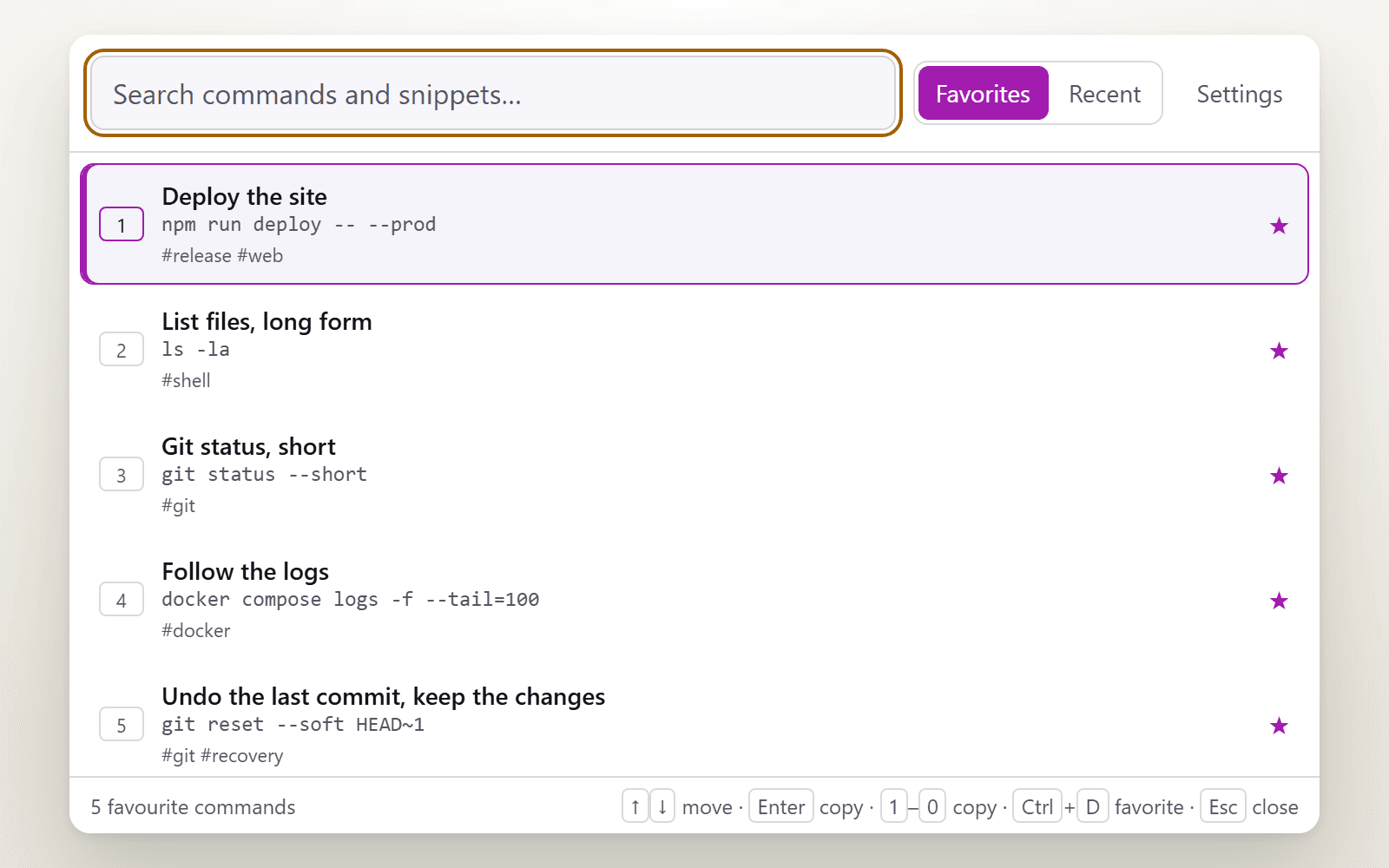
Command Shelf is a small desktop application for Windows, macOS and Linux. Save the commands and snippets you retype, star the ones you reach for, then press one shortcut from wherever you are working, type a few letters and press Enter. It copies the command and closes, and you paste with the shortcut you already use. It is free: no licence key, no account and nothing to buy.
Version 0.1.0 · Windows, macOS and Linux
The shortcut is Ctrl+Shift+Space by default. That is the default. If another application already owns it, the recorder in Settings refuses the clash and keeps the shortcut that already works, so you can pick a different one.
Built from real production problems through MyEvent Productions. Visit MyEvent Productions
One global shortcut opens the palette over your editor, your terminal or your browser, centred on the display your pointer is on. It hides the moment you press Esc, copy something or click away, and it stops being always-on-top while it is hidden.
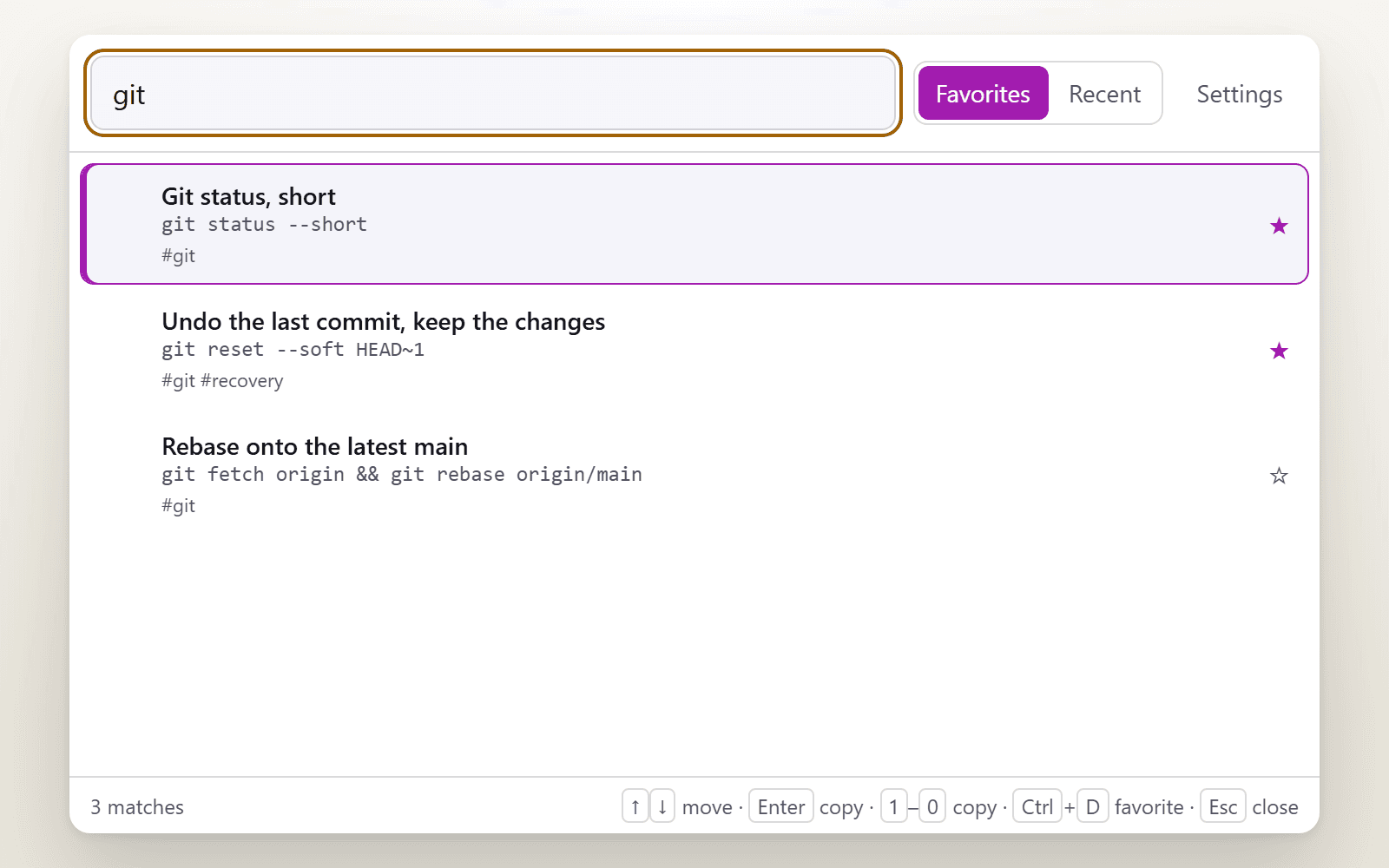
Star the commands you reach for and reorder them into the arrangement you want. Recent holds only what you copied through Command Shelf, newest first, and one button clears it.
Type a few letters and press Enter, or, while the search box is empty, press 1 through 9 or 0 to copy one of the first ten commands straight away.
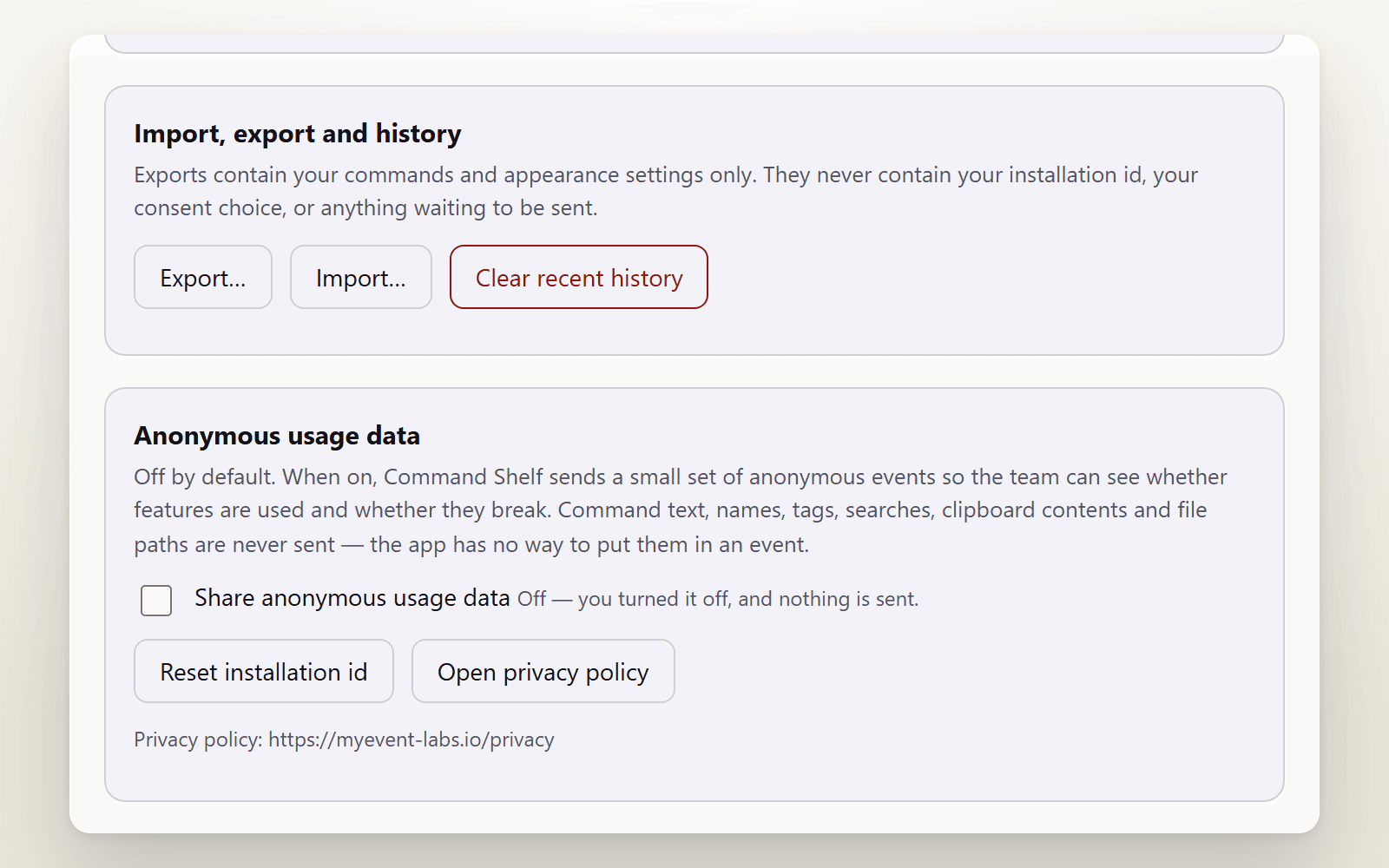
Your commands, history and preferences live in one versioned JSON file in your own user account. Export writes a documented file that deliberately leaves out your installation id and your consent choice, and import previews every change before it touches anything.
Your commands, history and preferences are stored in one JSON file in your own user account and are never uploaded. Command Shelf does not watch your clipboard: Recent holds only what you copied through it. It never types into another application, and it does not read your shell history. The optional anonymous usage data is off until you turn it on, never includes your command text, names, tags, searches or clipboard contents, and can be switched off again at any time, which also deletes anything still waiting to be sent.
The full privacy information covers the detail.
Nothing. Command Shelf is free, with no licence key, no account and no paid tier. There is nothing to buy and nothing to subscribe to.
No. Recent history contains only the commands you copied through Command Shelf itself. It never reads what other applications put on your clipboard, it does not scrape your shell history, and it records nothing when it is closed.
No, deliberately. Command Shelf puts the command on your clipboard and closes, and you paste with the shortcut you already use. It never simulates typing, so it cannot act on its own inside another application.
Anonymous usage data only, and only if you turn it on: it is off by default. Those events cover the app starting, the palette opening or closing, coarse counts and ranges, success flags, your app version, operating system, processor type and fixed error codes. Your commands, snippets, names, tags, searches, clipboard contents and file paths are never sent, because the application has no way to put them in an event.
Yes. Export writes a versioned JSON file from Settings, and importing it on the other machine shows a preview first and then lets you merge it with what is already there or replace it. Export files never contain your installation id or your consent choice.
Bring us the problem. We’ll work through the possibilities together.